Entry / On-site Confirmation / POS Seat Reservation
Participate in the Auction / Second Chance (Negotiation)


FLOW&FLOOR
Venue & Office
Relaxation & Others
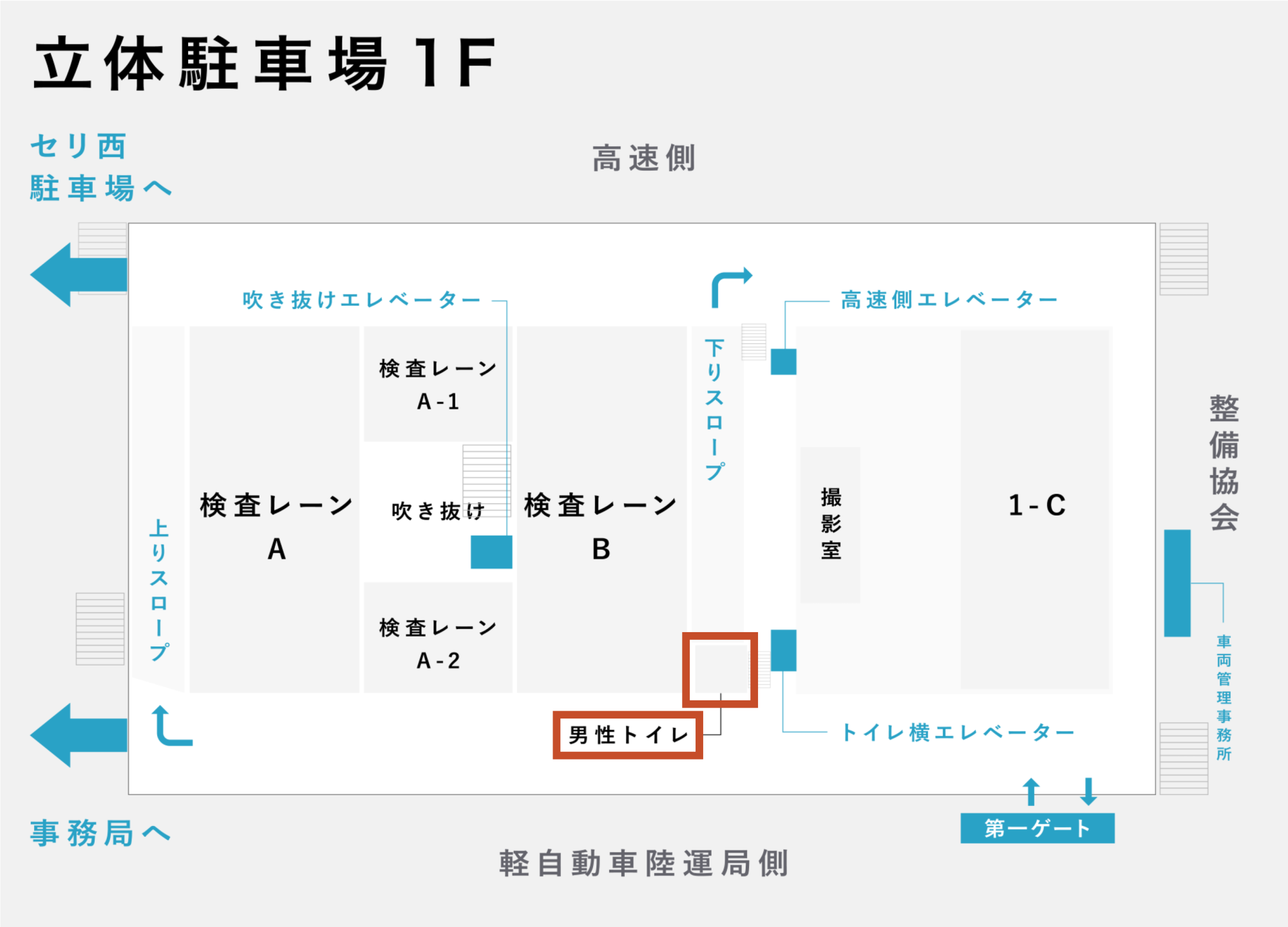
Multi-Story Parking
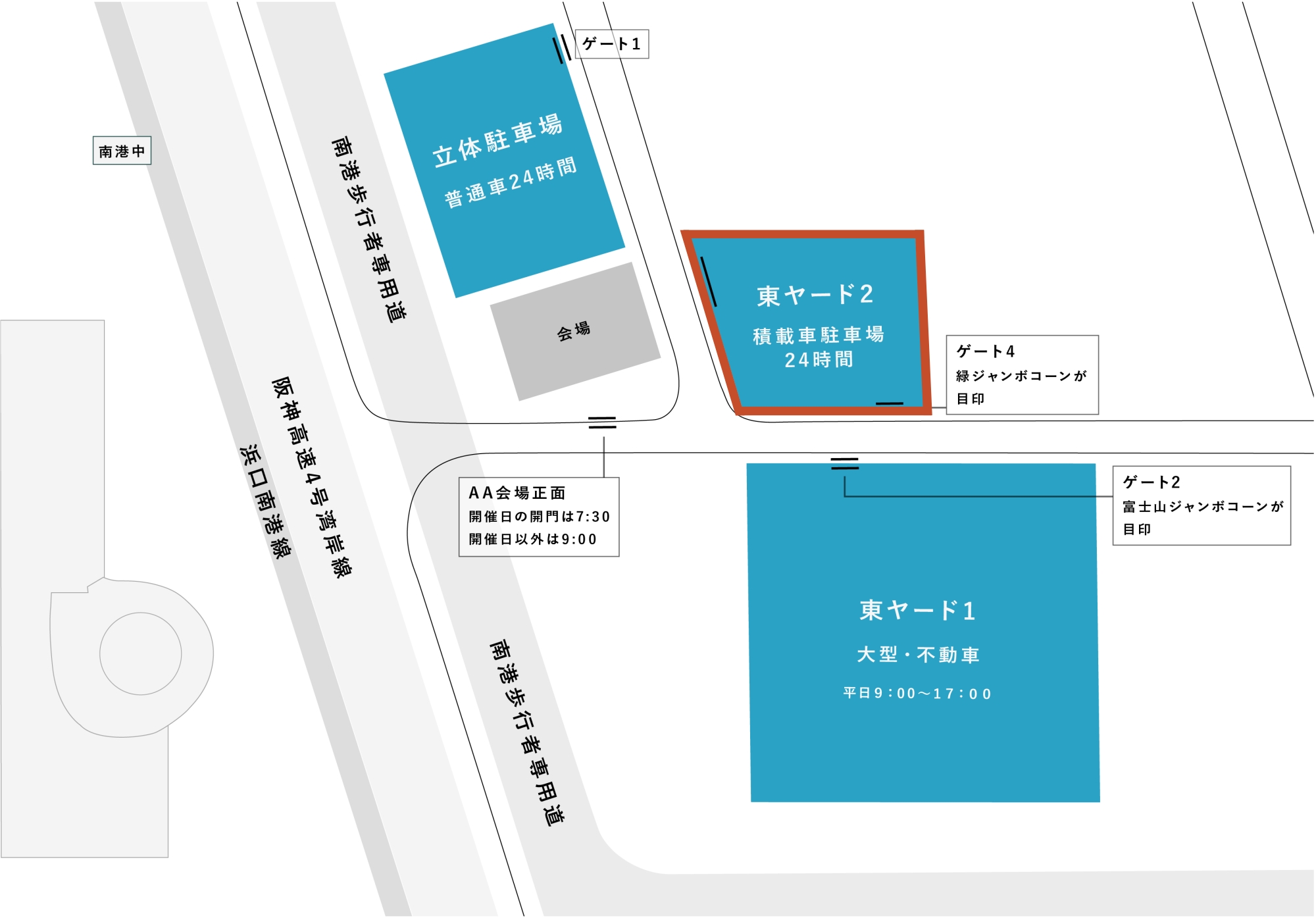
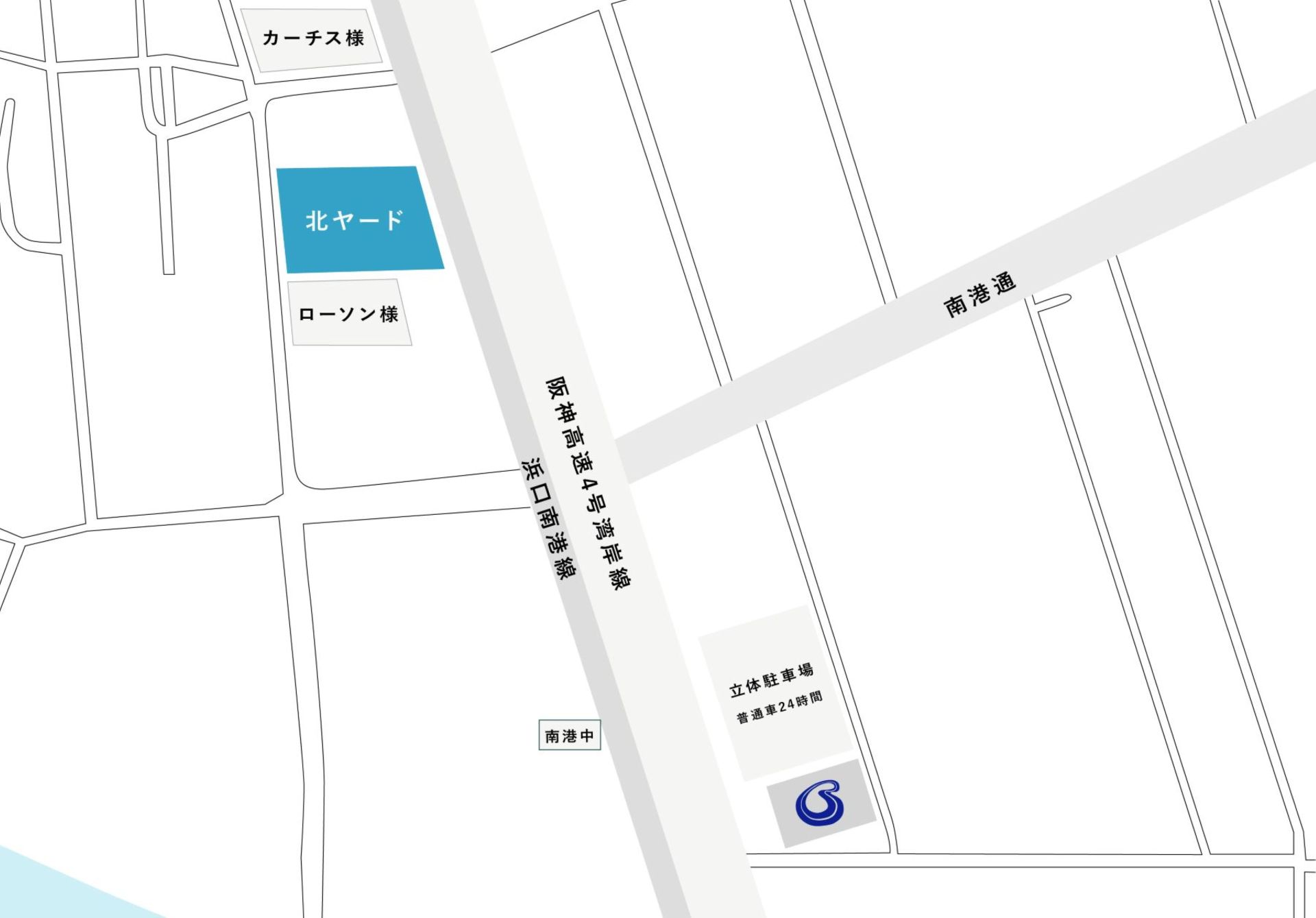
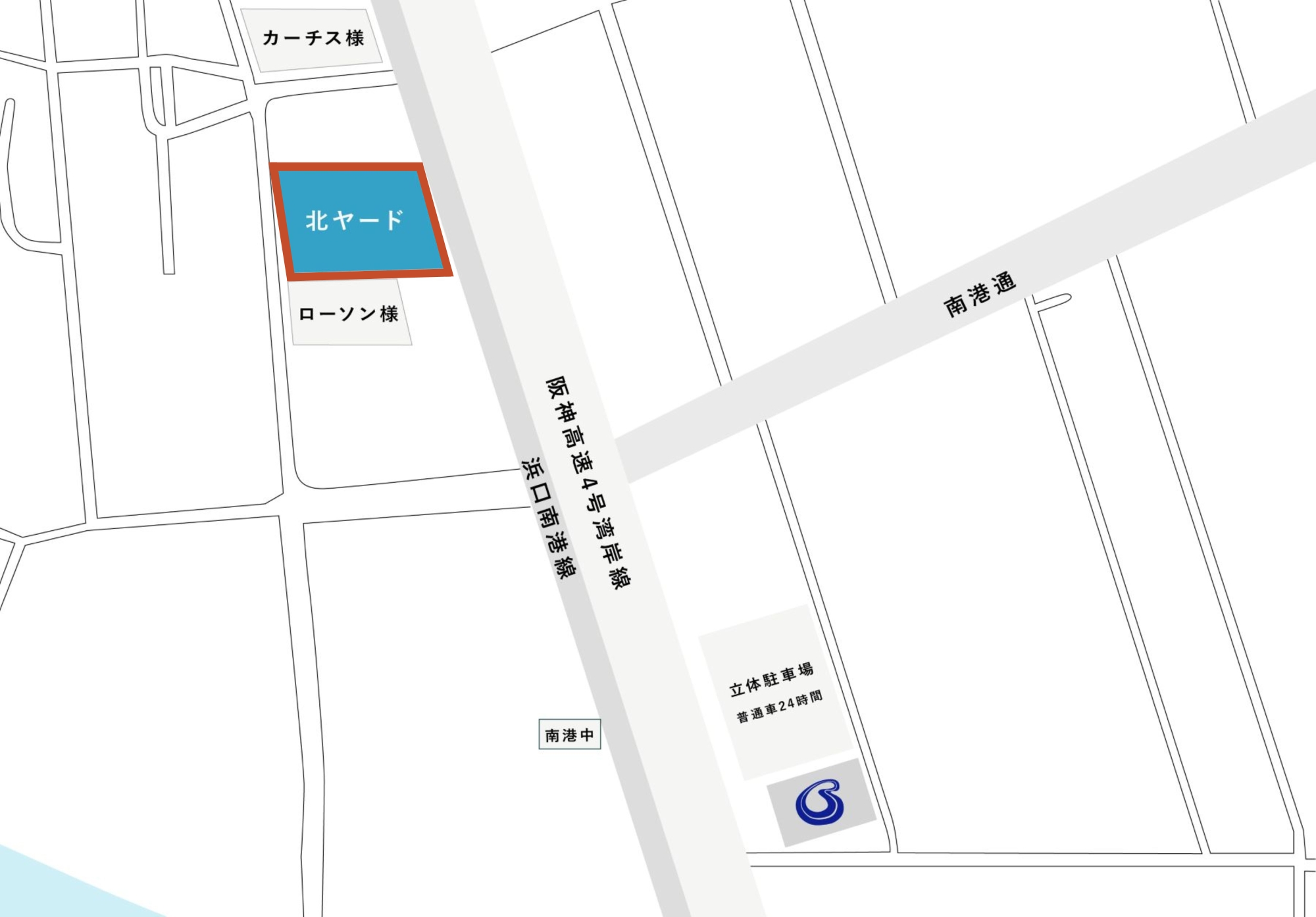
Outdoor Yards


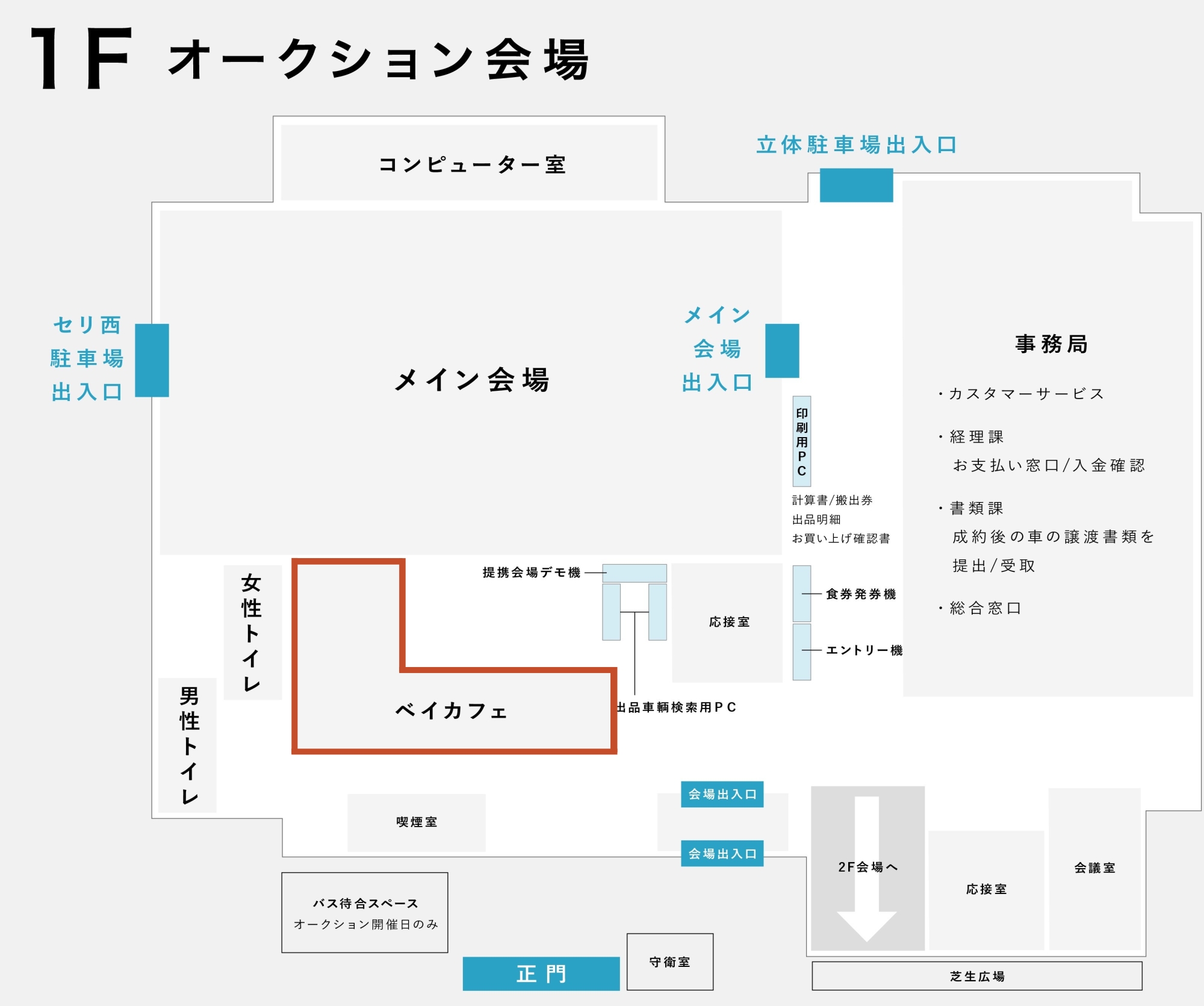
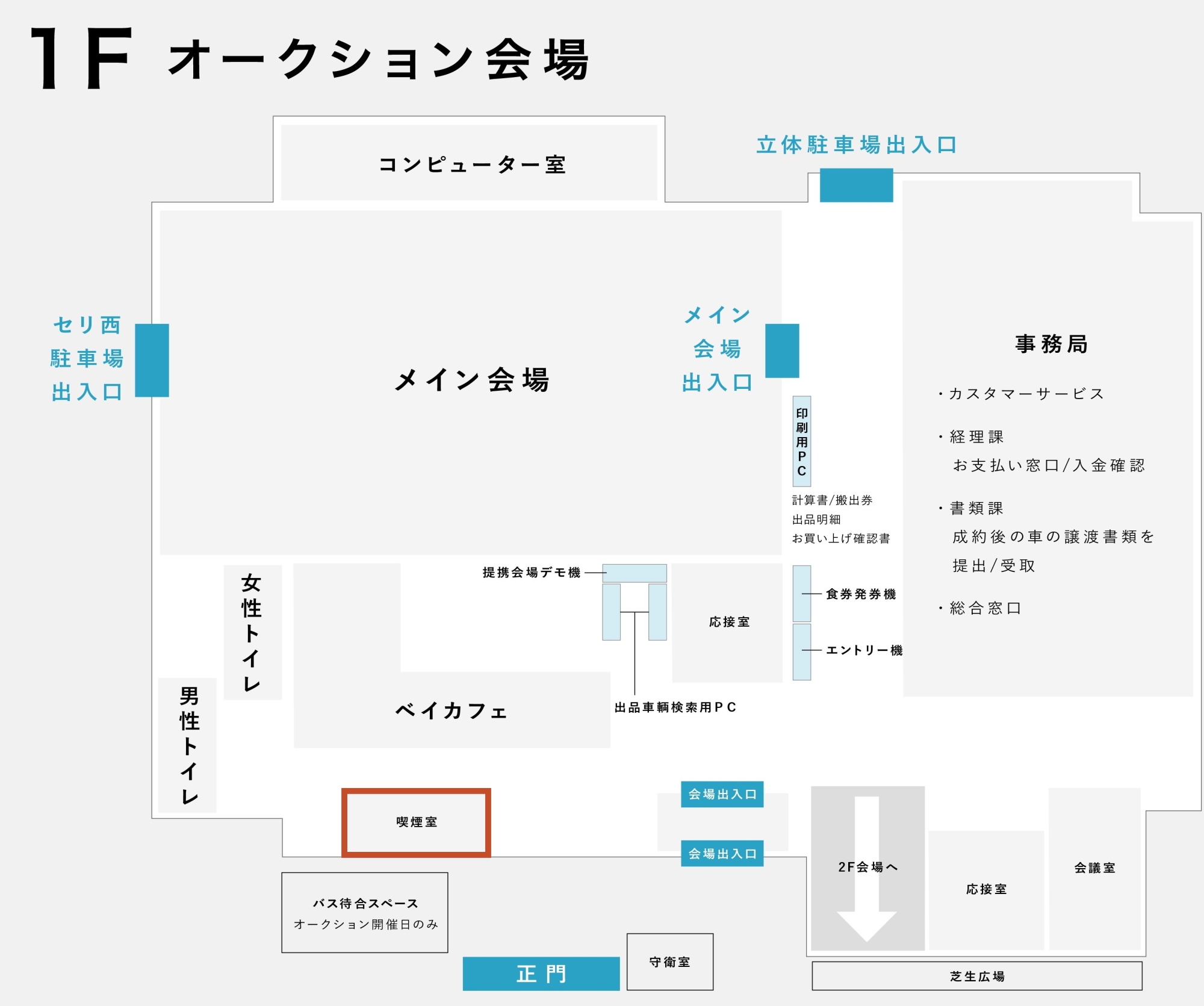
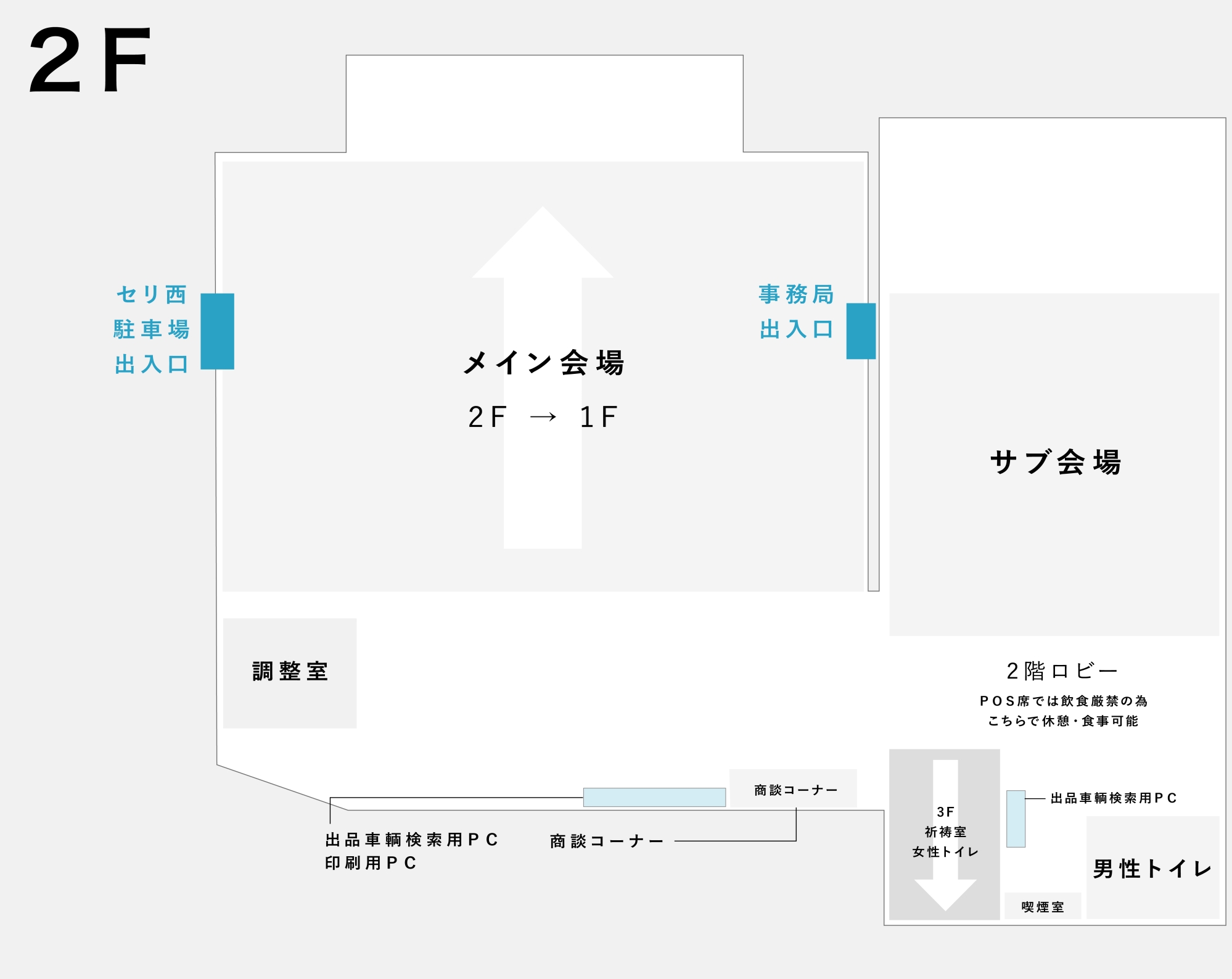
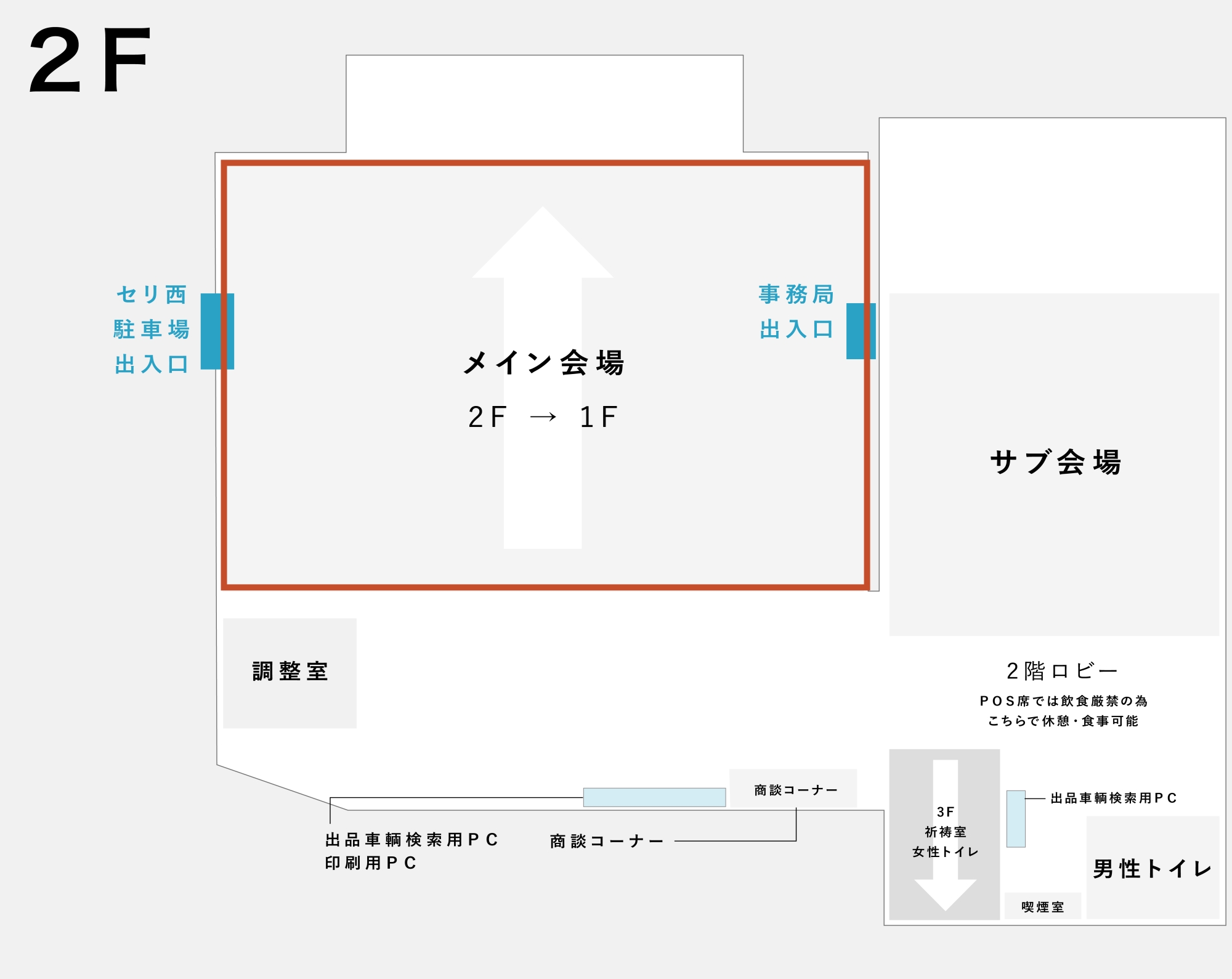
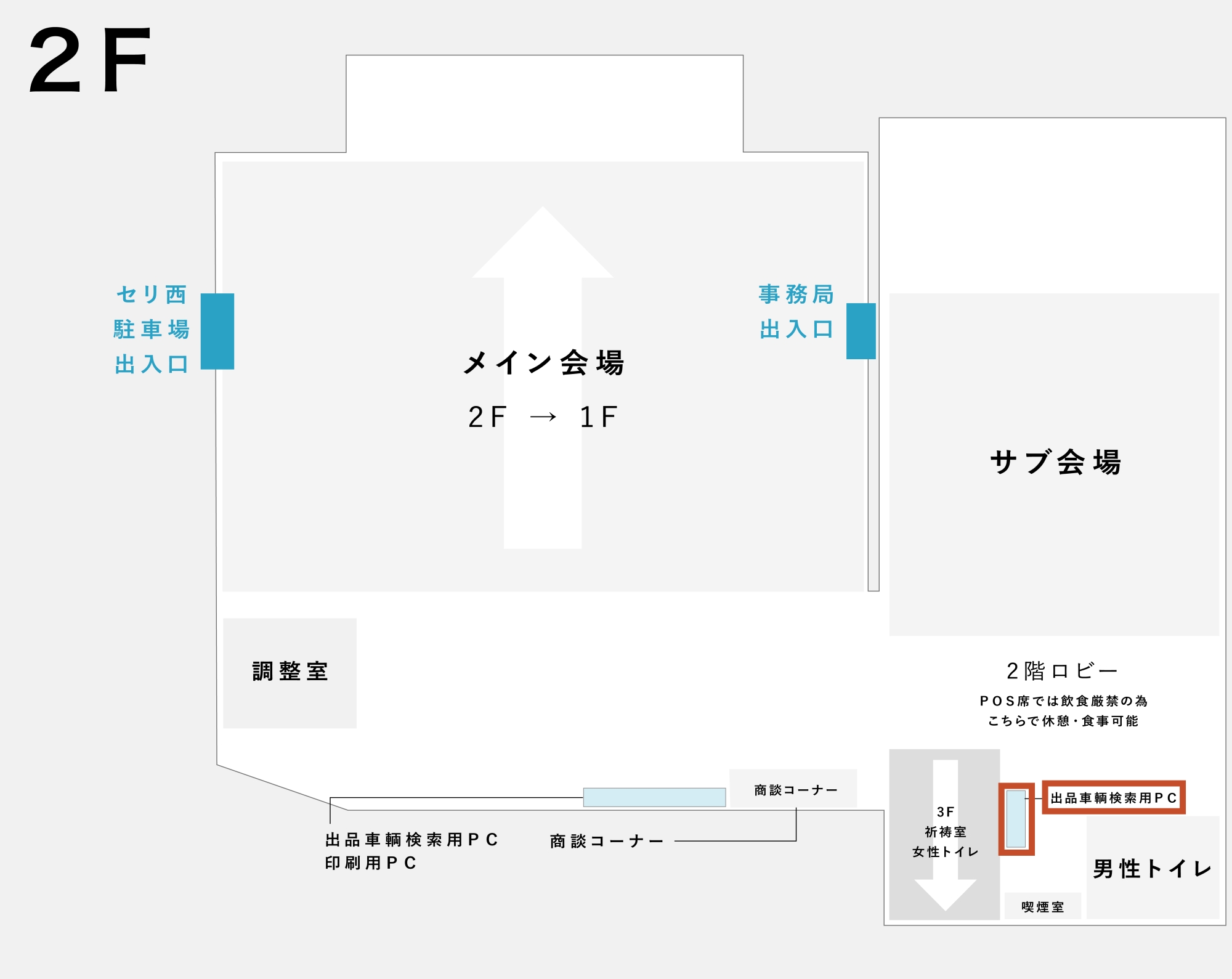


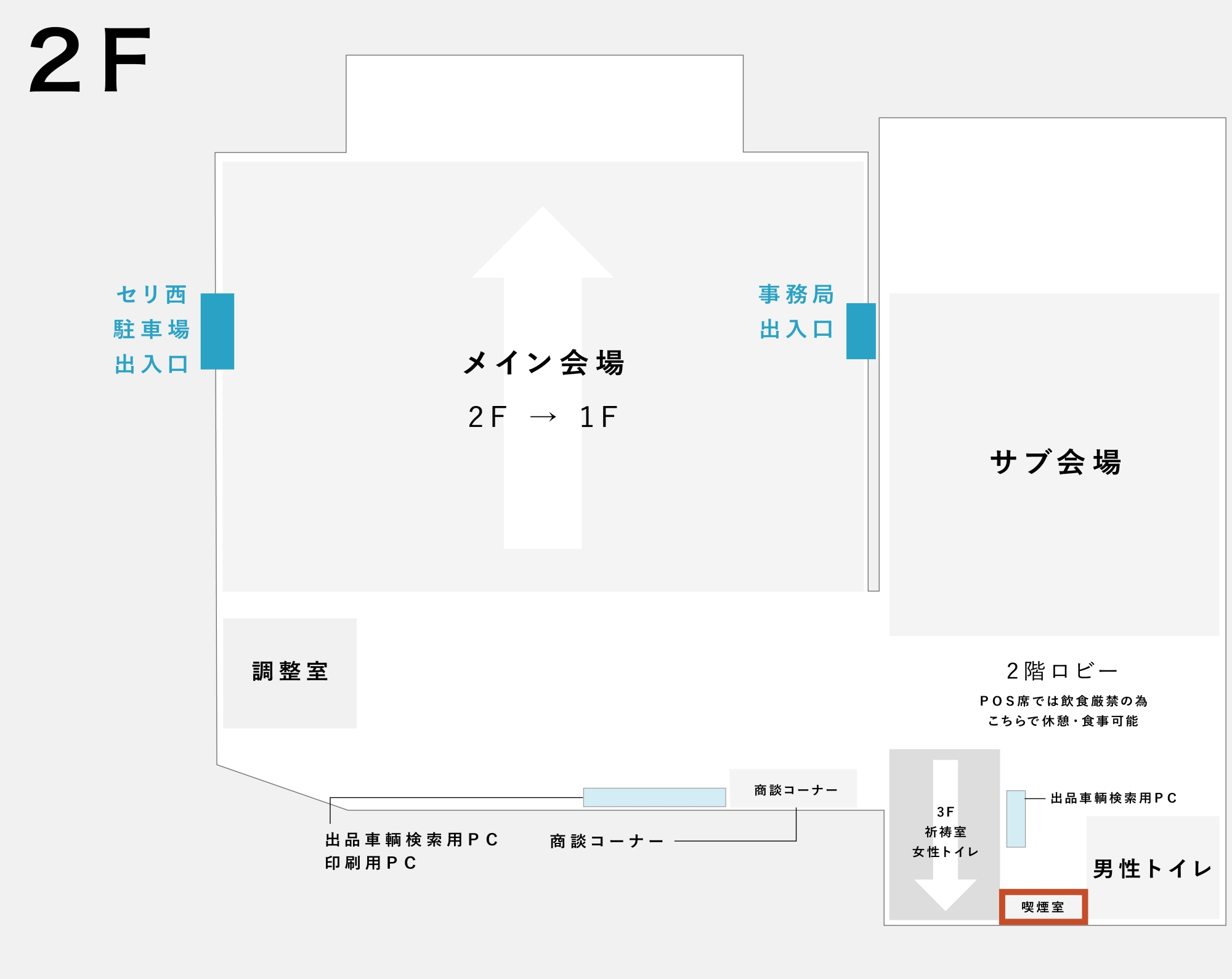
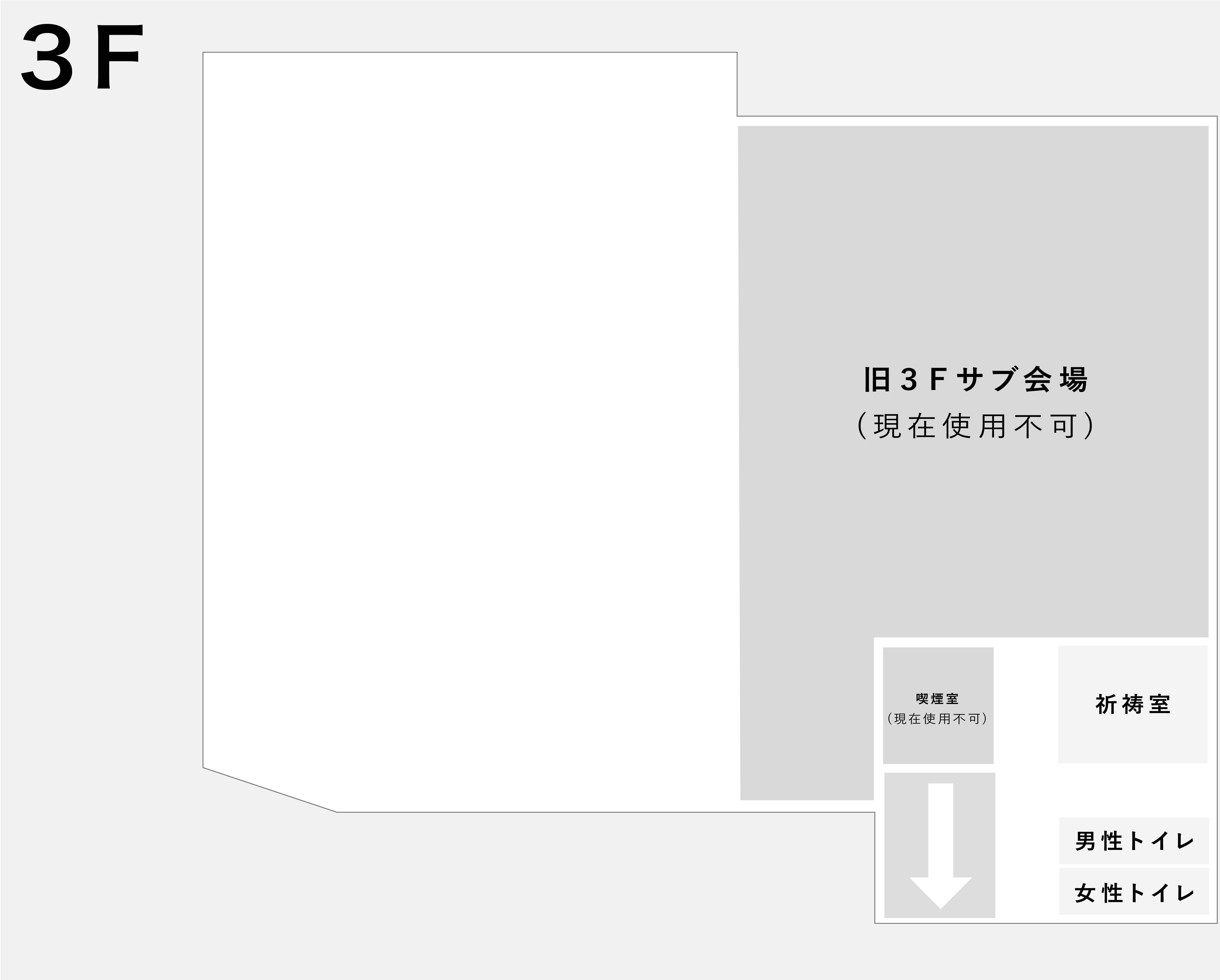

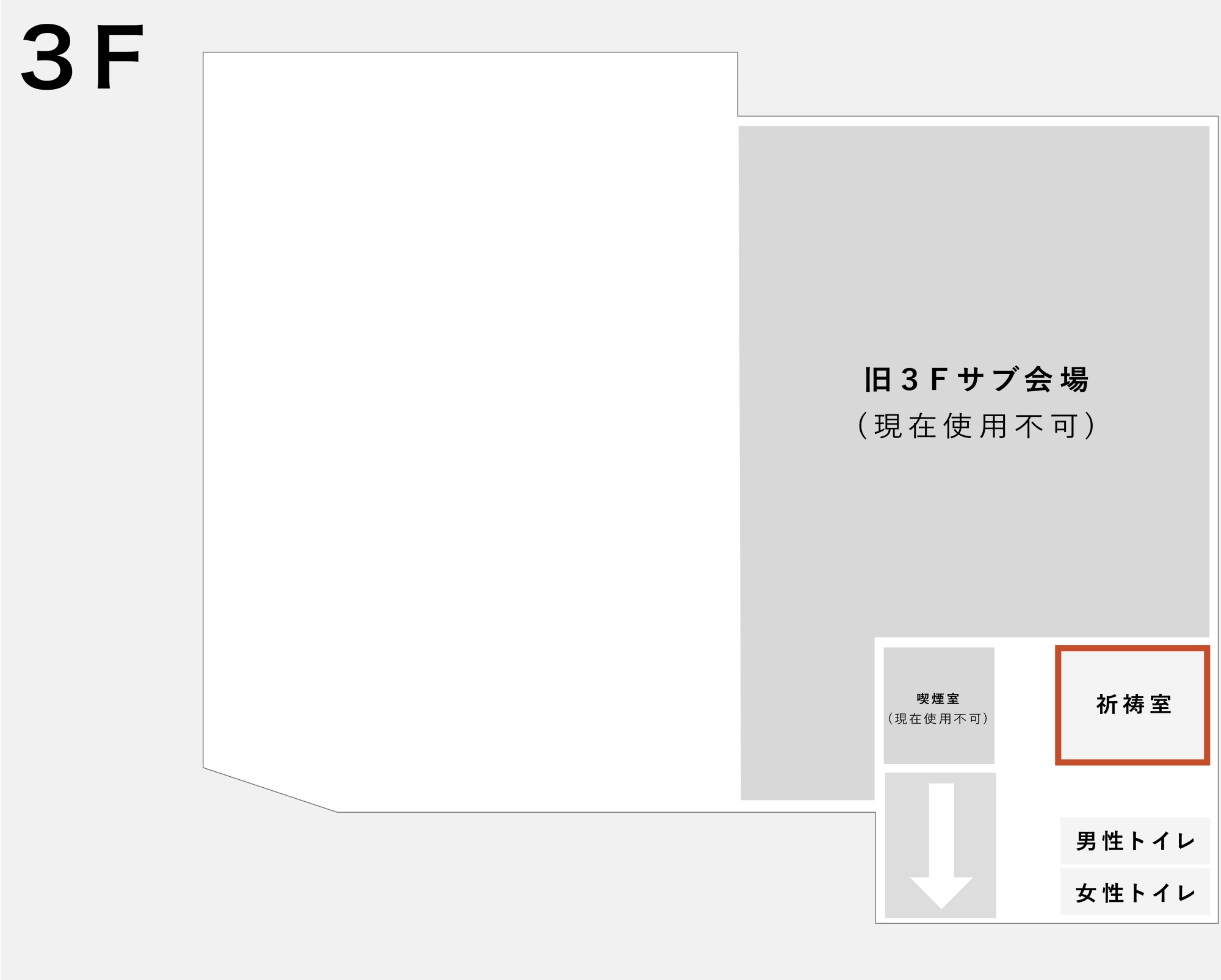
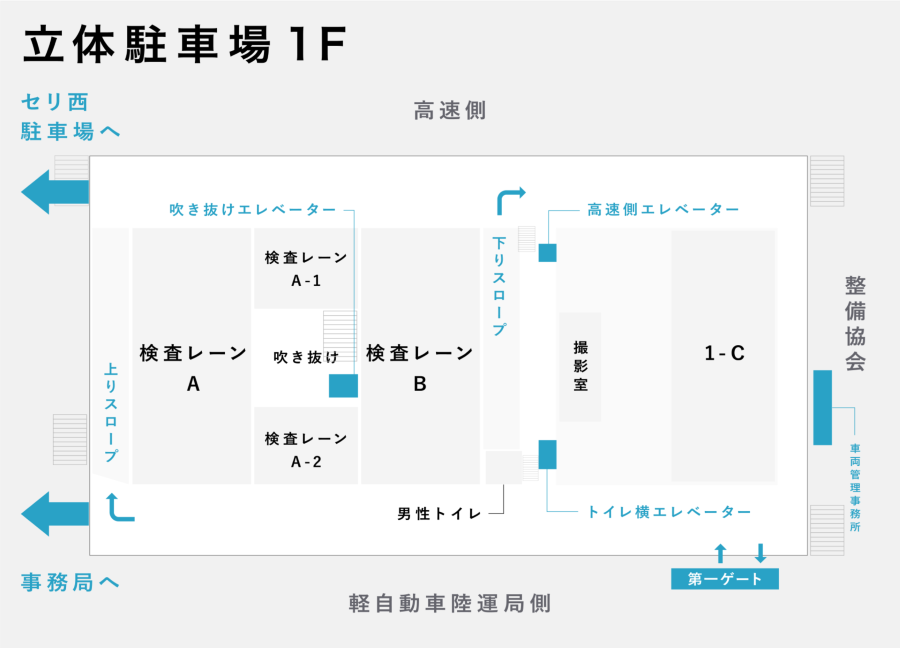
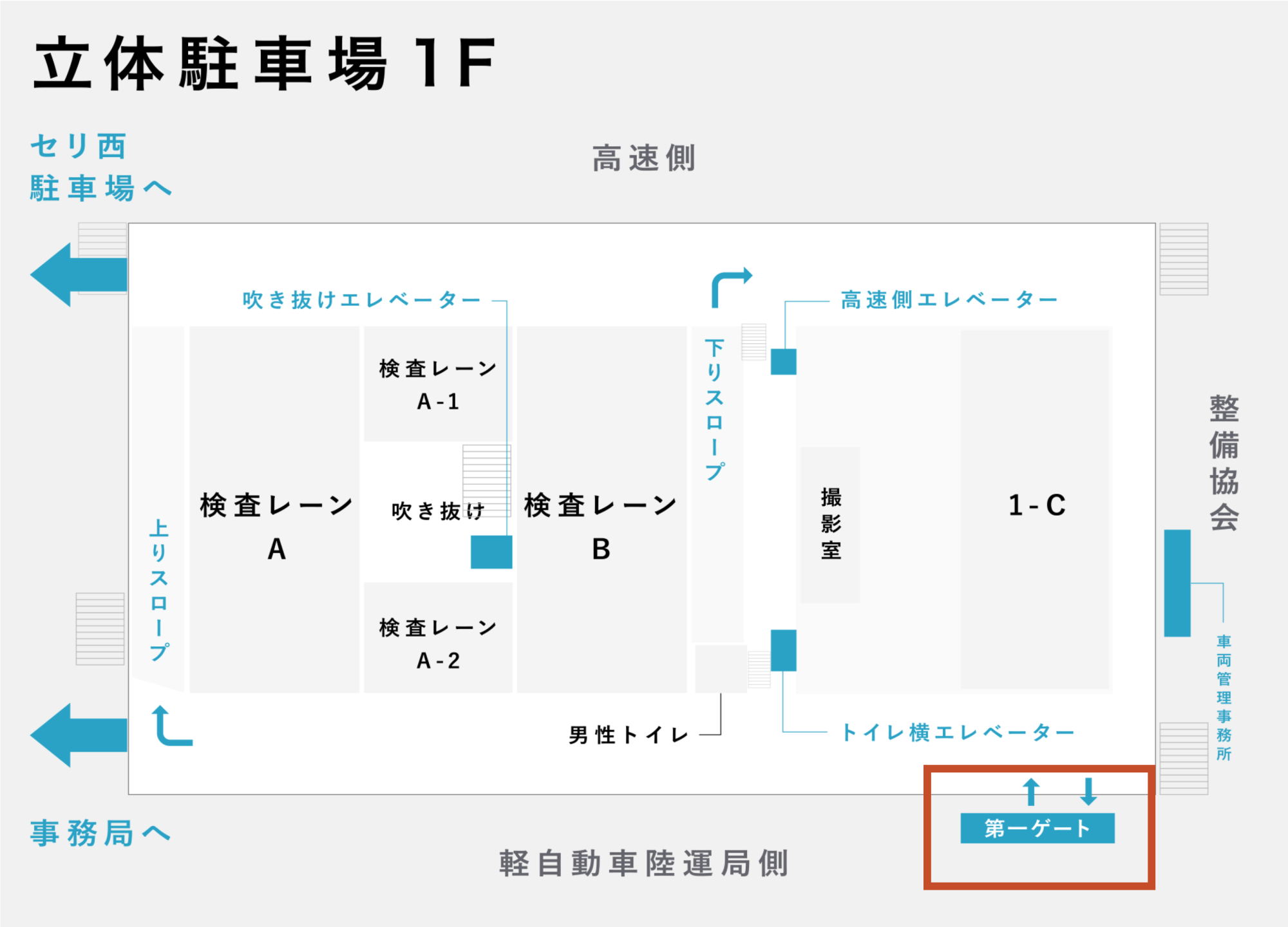
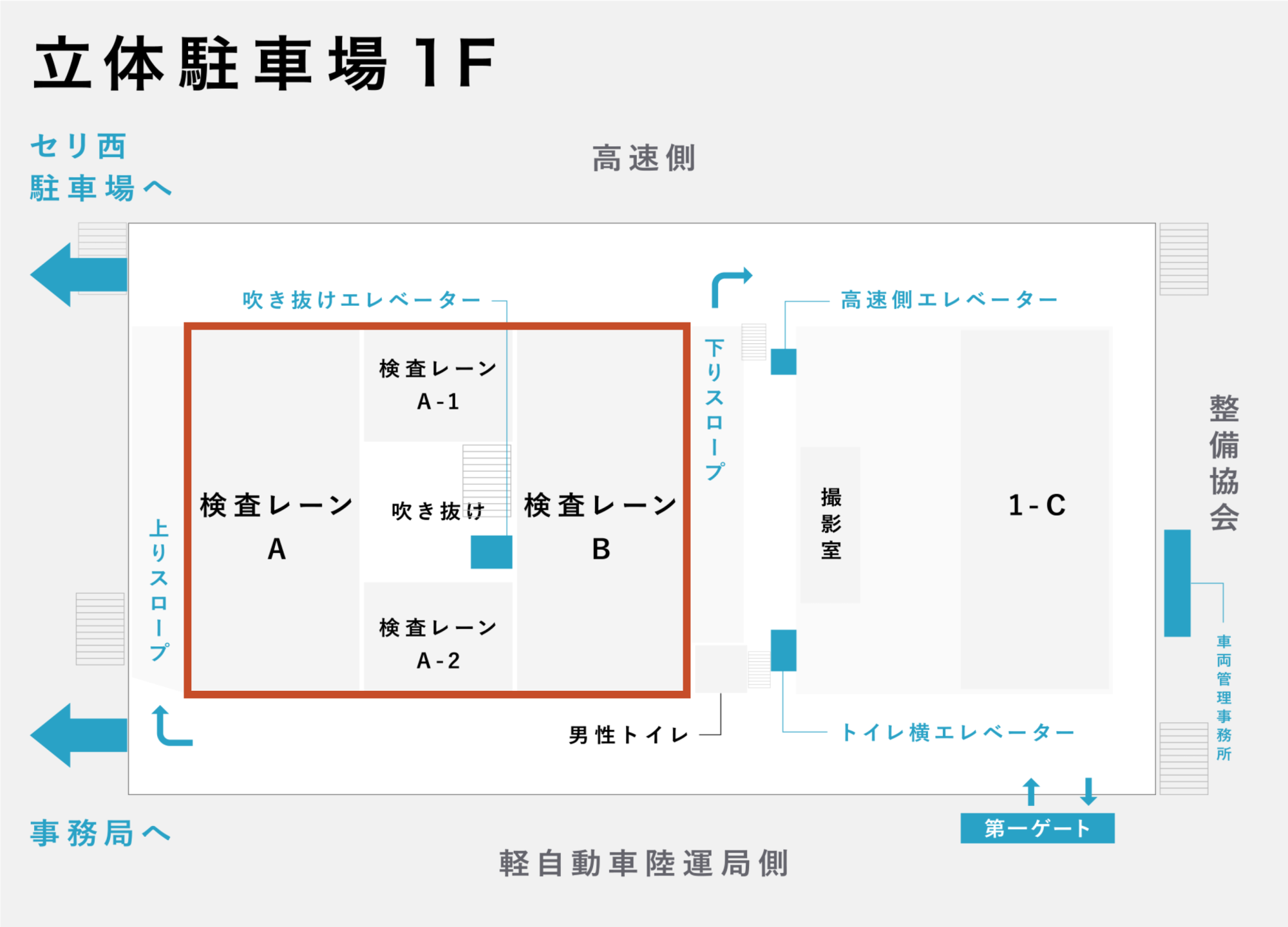

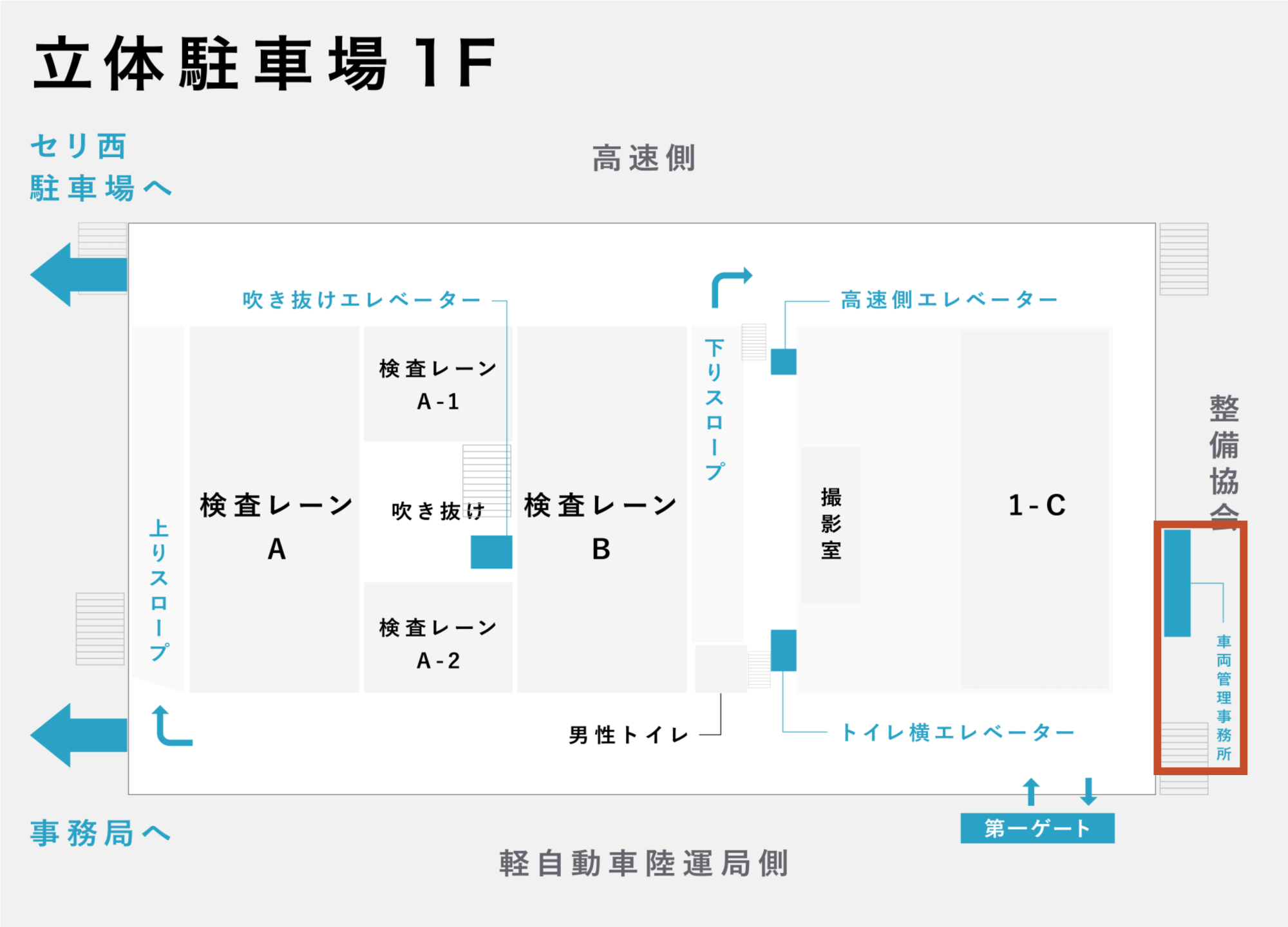

East Yard 1 & 2


North Yard
01. Research the vehicle's equipment and grade, and enter them on the listing sheet.
02. See the details **here** (PDF).
01. Bring the listed vehicle to the venue by **driving it yourself or arranging transport**.
02. Submit the **first page (pink)** of the listing sheet at the venue's entry gate.
03. Place the **second page (green)** of the listing sheet on the vehicle's dashboard.
04. Follow the guidance, stop at the inspection lane, and the process is complete.

Please leave the key inside the car **without locking** it.
However, please check that you have not left any transfer documents (vehicle inspection certificate, etc.) or later-submission parts (spare key, warranty, etc.) behind. Please submit these to the office after a successful bid.
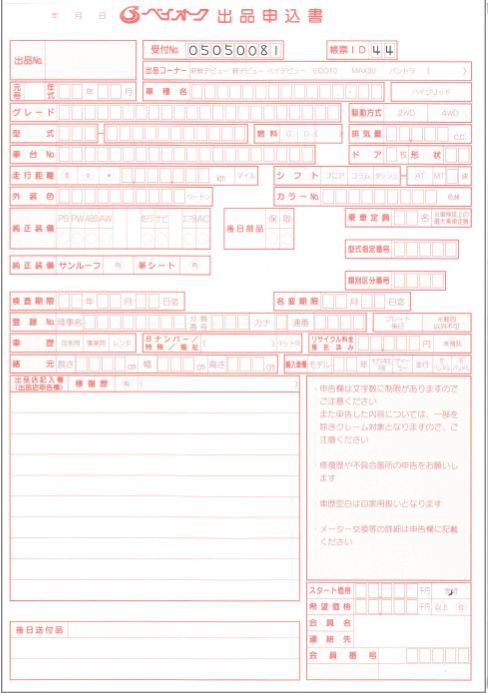
Listing Sheet 1st Page
Please submit this at the entry gate.
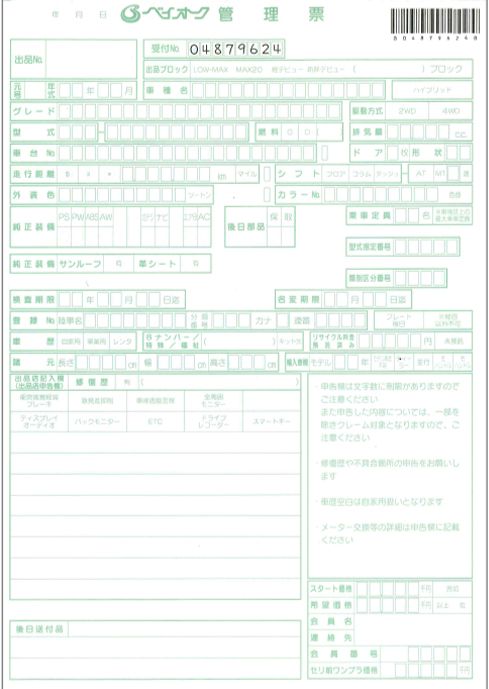
Listing Sheet 2nd Page
Please place this on top of the dashboard.
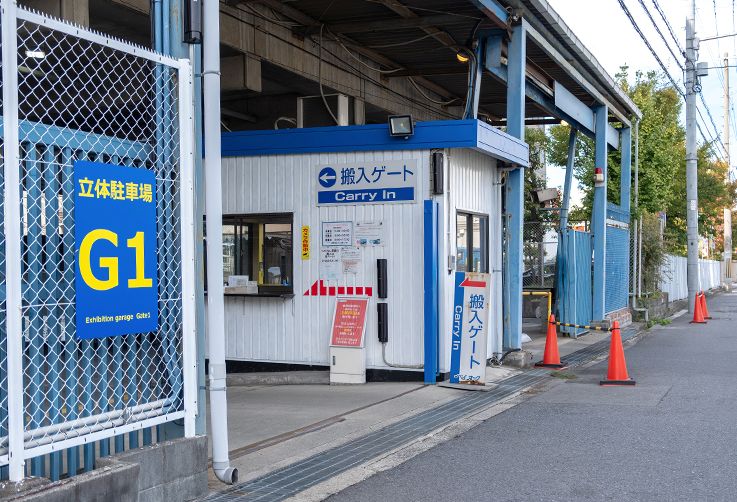
Entry Gate (Gate Number: G1)
01. Please confirm the vehicle information and the inspection details performed by our inspectors before the AA.
02. In the unlikely event that an error is found in your listing sheet entry or our inspection, please contact us immediately.
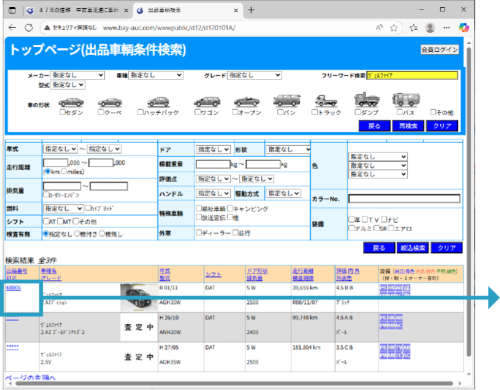
Anyone can check the vehicle information for the day from the **AA User Page** on the website using the **Listed Vehicle Search**.
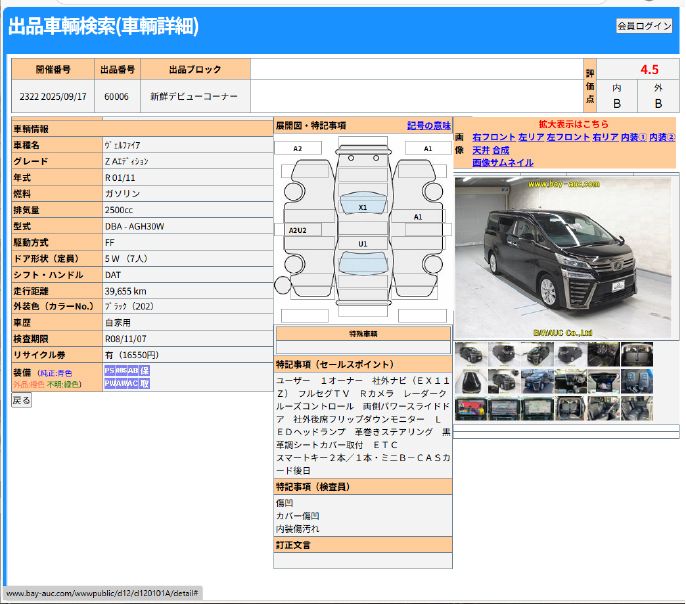
Please check for any discrepancies between the content on the listing sheet and the inspection performed by the Bay Auc inspector.
If there is an error or a point of dissatisfaction, please contact the office immediately.
□When participating **at the venue**
01. Auction times may vary depending on the day's situation, so please arrive early.
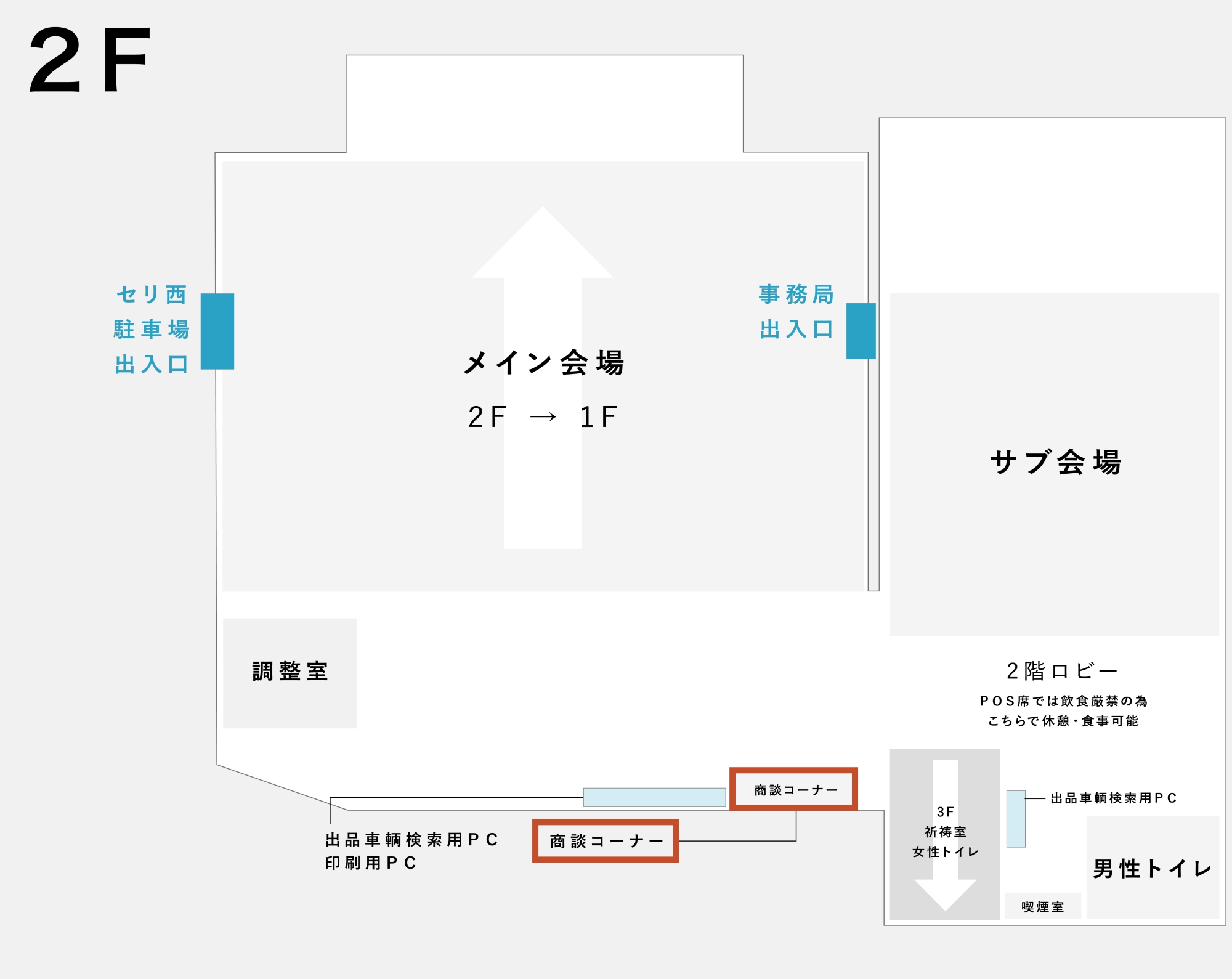
02. Upon arrival at the venue, please go to the **Entry Corner** and **Meal Ticket Dispenser** first.
We give out meal tickets for use at the **Bay Cafeteria** to all visitors.
After entry, please print your meal ticket at the adjacent meal ticket dispenser.
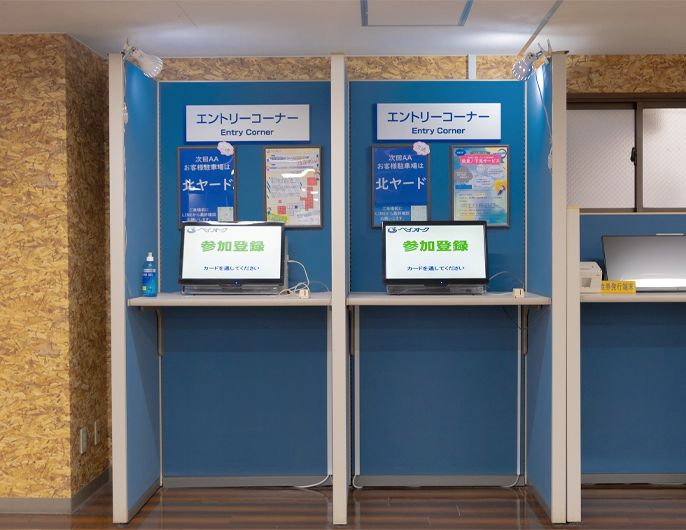
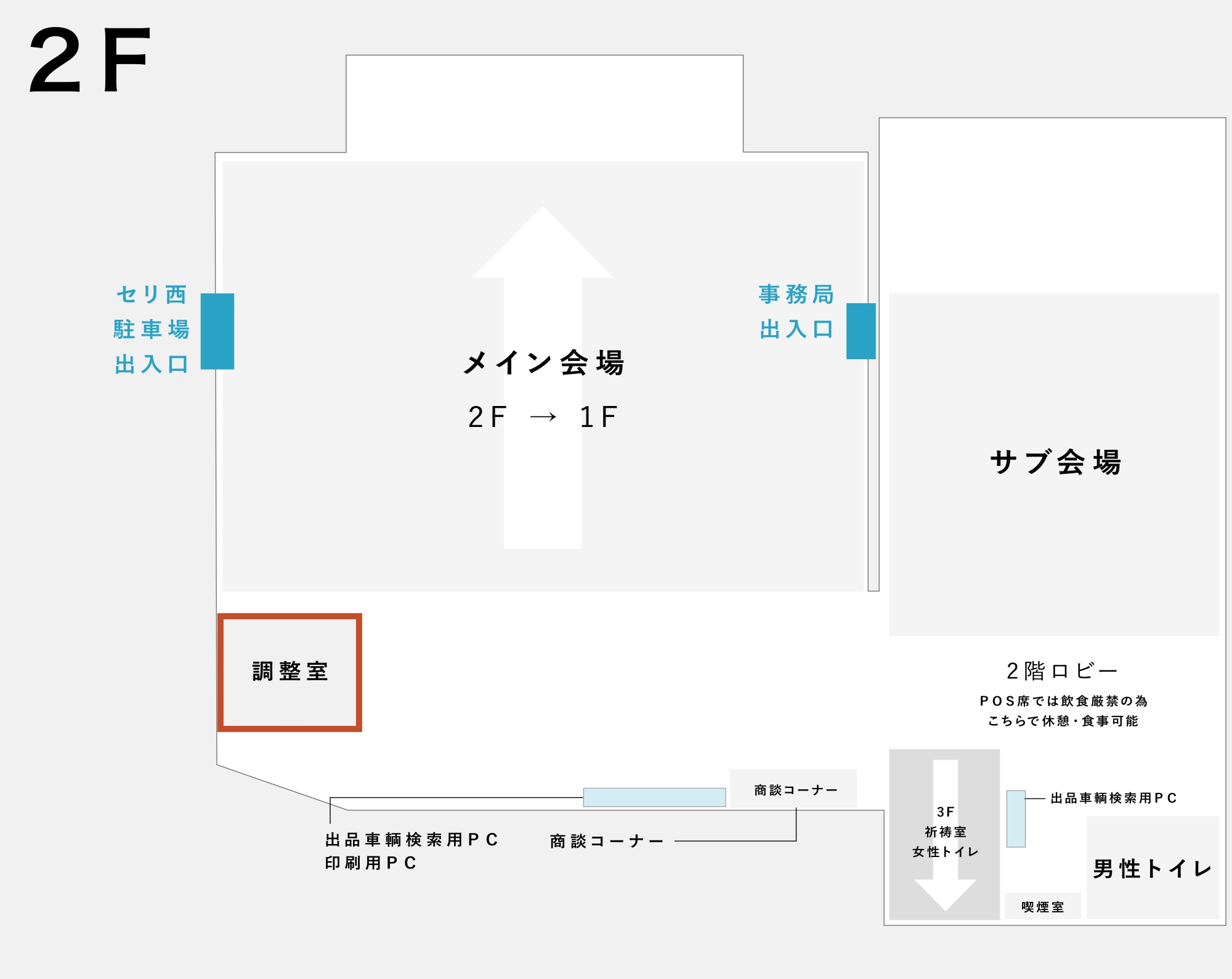
03. When the auction time is near, please come to the **2F Adjustment Room**.
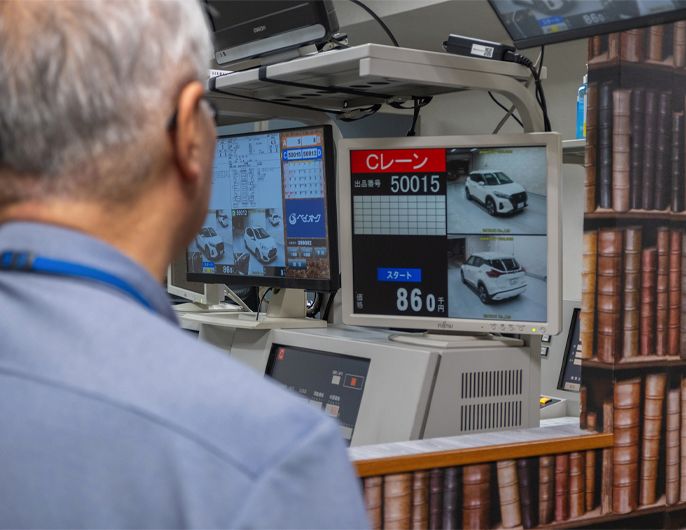
Adjustment Room (Price Adjustment Room)
While experiencing the real-time situation of the auction and the number of bidders, you indicate the change in price setting or the intent to sell to the conductor based on the price written on the listing sheet.
04. When called by the adjuster, please indicate the desired price for each lane.
・If instructed "**More than 〇〇 yen**," the vehicle will be sold if the price is within ¥10,000 below the indicated price.
・If instructed "**Around 〇〇 yen**," the vehicle will be sold if the price is within ¥30,000 below the indicated price.
・If starting with a definite sale, please instruct "**Sell-out Start**."
05. If the bidding is unexpectedly high, and you decide to sell faster than the price instructed before the start, please clearly and loudly indicate "**Sell-out (Instant Sale)**" or "**Slow (4 seconds for consideration)**."
06. Unfortunately, if there are few bids and the desired price is not reached, it will be an "**unsuccessful bid** (no sale)."
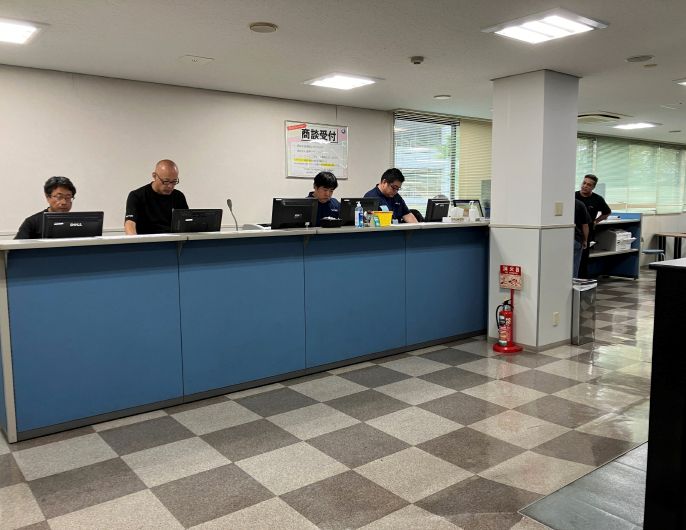
You can apply for **post-auction negotiation** for vehicles
that were unsuccessful bids in the auction, but
**only on the day** of the auction.
Negotiation Acceptance Time: 30 minutes after the AA ends
The final bidder has the **priority negotiation right**
for the first 10 minutes after the auction.
Negotiation Application Price
・¥100,000 below the desired negotiation price
・Final bid price + ¥30,000
・In the case of no bid, start price + ¥30,000
The highest of the above prices will be the negotiation acceptance price.
Negotiation applications can be made at the venue, through **Bay Net**, or via net systems from each partner venue.
□When participating **outside the venue**
Auction times may vary depending on the day's situation.
If you wish to view the real-time bidding, please prepare Bay Net early.
※Real-time adjustments cannot be made via Bay Net, so please fill out **this form** and fax it to us at least **one hour before** the scheduled auction time for any changes to the start price or desired price.
View Live Bidding Video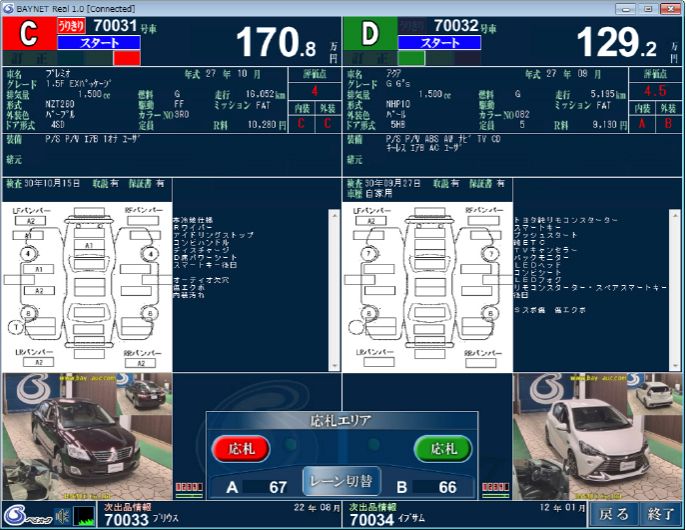
Confirm the sale status of your exhibited vehicle.
You can check the status and total amount (provisional calculation sheet) of your exhibited vehicle via **Bay Net**.
If you do not use Bay Net, we will fax the AA calculation sheet the next day for confirmation.
If urgent, please contact the office.
01. Please submit the complete set of **vehicle transfer documents** within **one week**.
02. Payment will be made on the **next business day** after the transfer documents are confirmed by Bay Auc.
01. Please decide whether to **re-list** in the next AA or **collect** the vehicle.
02. If re-listing, the basic listing data will be carried over as is. Please contact the office if you wish to change the price or other details.
※Third Chance! Please consider listing on **One-Price Net**.
One-Price Net| Third Chance!
Unlike the auction, the vehicle price is clear!
If the listed price is satisfactory, the purchase is available on a first-come, first-served basis.
"**Guaranteed acquisition**" and "**smooth negotiation with the user**" are what "One-Price" offers.
Listing Period: From 10:00 AM Thursday (or the time of application) until 5:00 PM the following Monday.
Eligible Vehicles: Vehicles that were unsuccessful bids in the AA and will be re-listed the following week.
Listing Fee: Free
※The listing fee is still required even if you cancel the re-listing for the following week's AA.
Vehicles listed on Bay Net's One-Price can also be purchased from the following net systems:
・AS-NET One-Price

・TC-webΣ One-Price

・IAUC Instant Purchase

・JU Navi Instant Purchase Support

■How to List
Submit this form to the venue or by fax, or register for One-Price via Bay Net.
03. If collecting the vehicle, please **remove it by 5:00 PM on Friday**, the third day including the auction day.
All unsuccessful bid vehicles that are not removed will be re-listed.
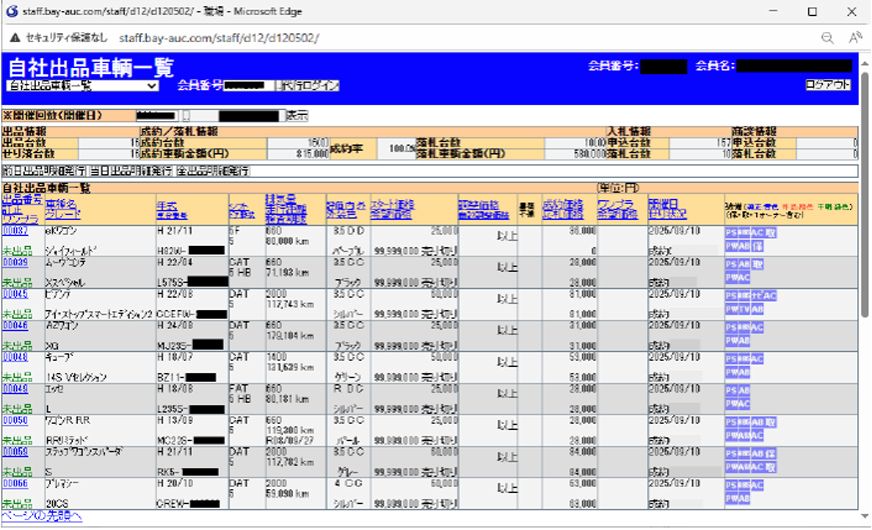
Bay Net: Self-Exhibited Vehicle List Screen
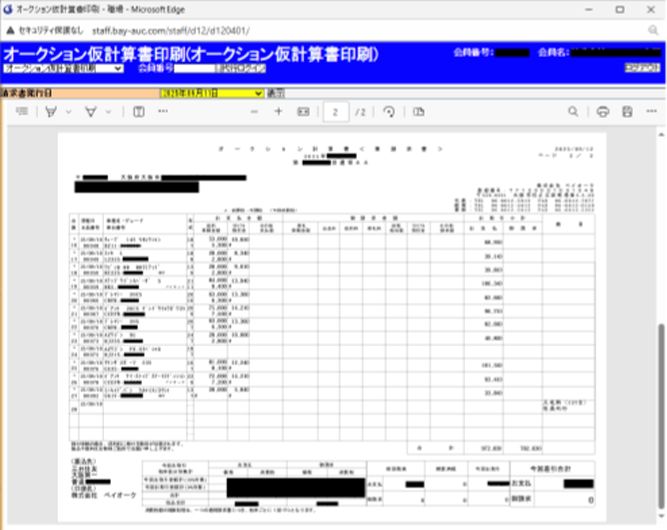
Bay Net: AA Calculation Sheet Screen
Auction times may vary depending on the day's bidding situation. Please arrive early.
In principle, only members can visit, so please wear your **POS card** to prove your membership inside the building.
If you have guests with you, please notify the office so a visitor card can be issued.
If you forget your POS card, a temporary card will be issued for ¥3,000.
(A temporary card costs 3,000 yen (a 1,000 yen issuance fee and a 2,000 yen deposit). The deposit will be refunded when you return the card.)
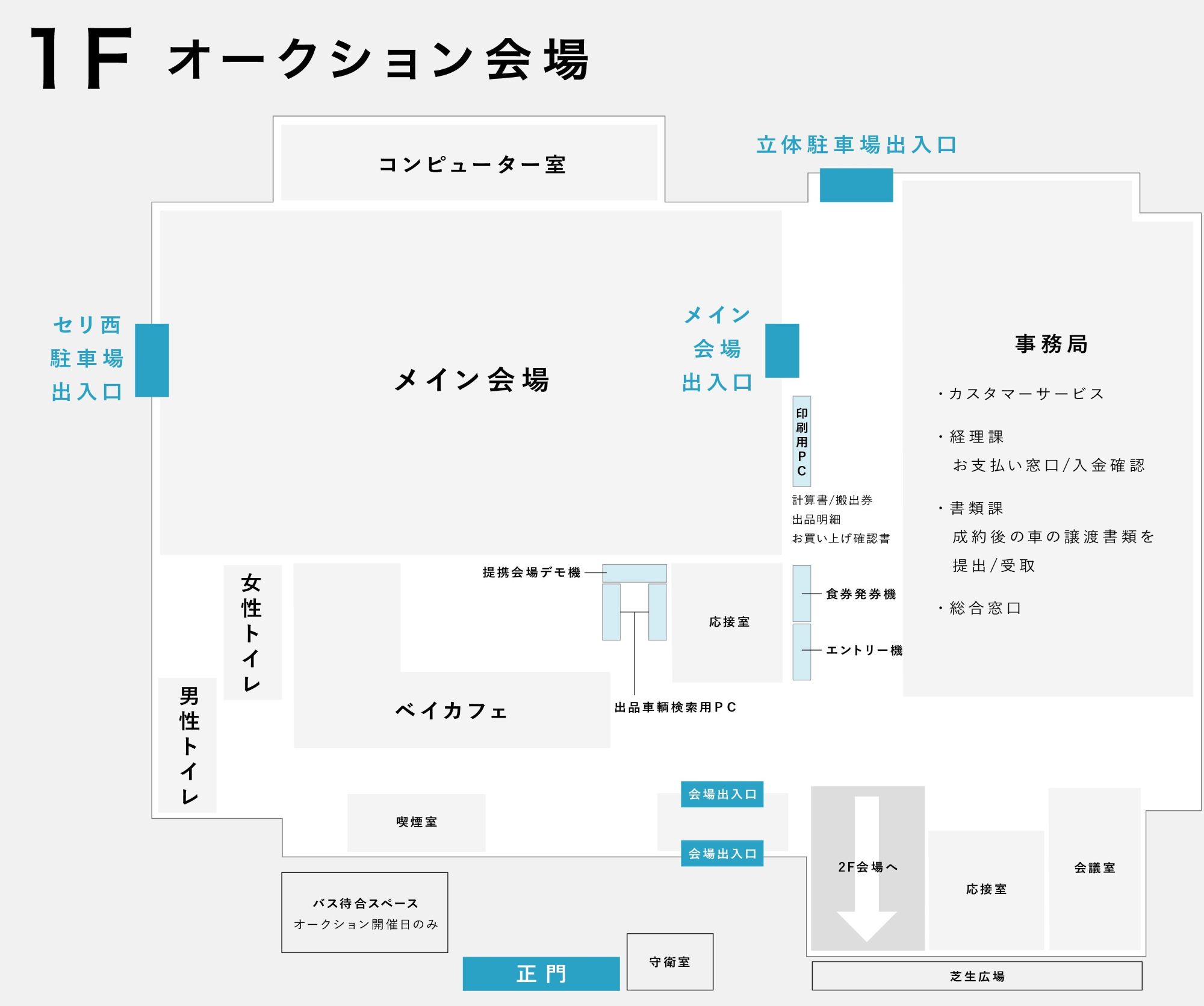
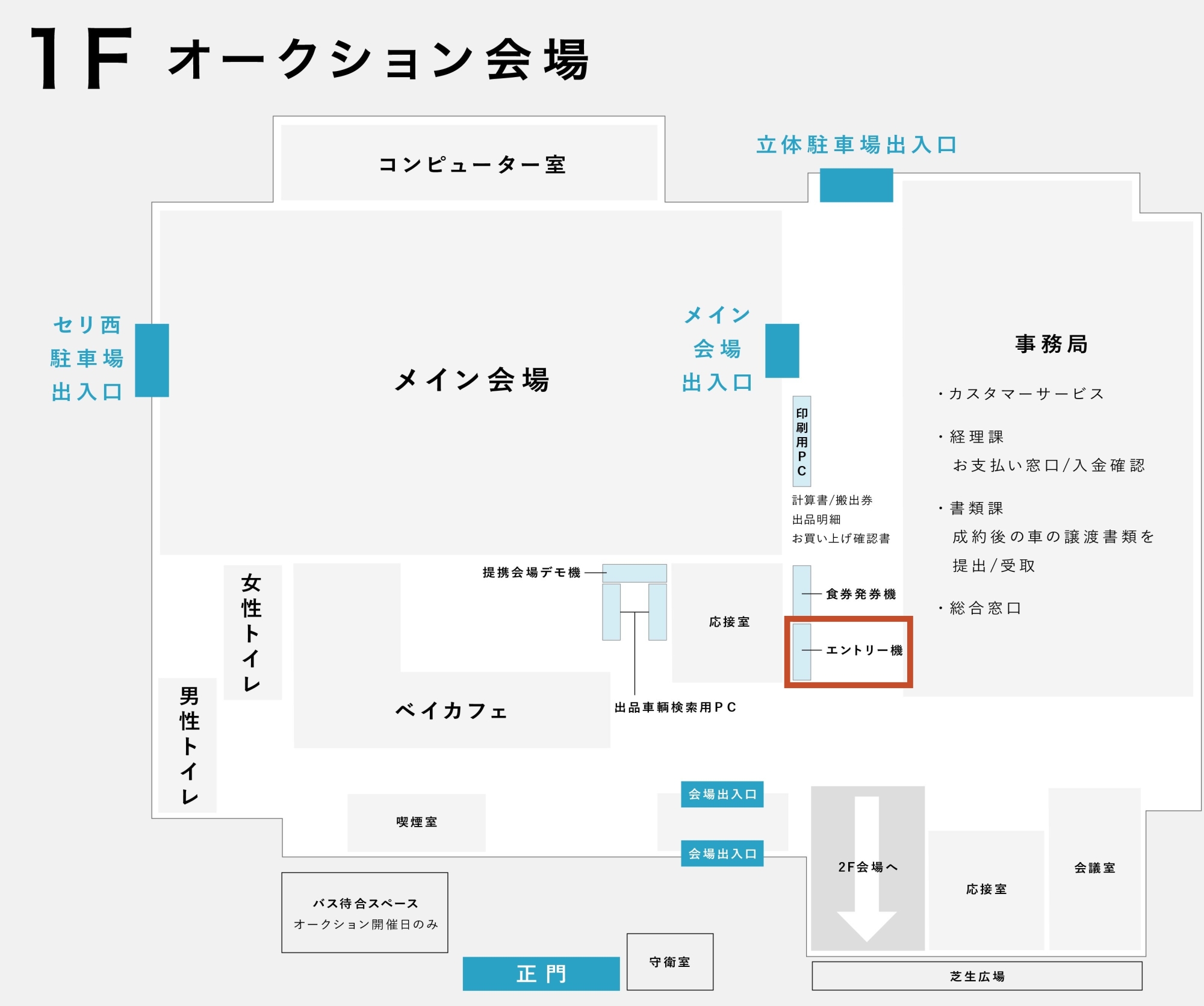
01. Please register your POS card at the Entry Corner.
(POS seats cannot be used with an unregistered POS card.)
02. Please issue a meal ticket from the meal ticket vending machine.(One meal ticket can be issued per company.)
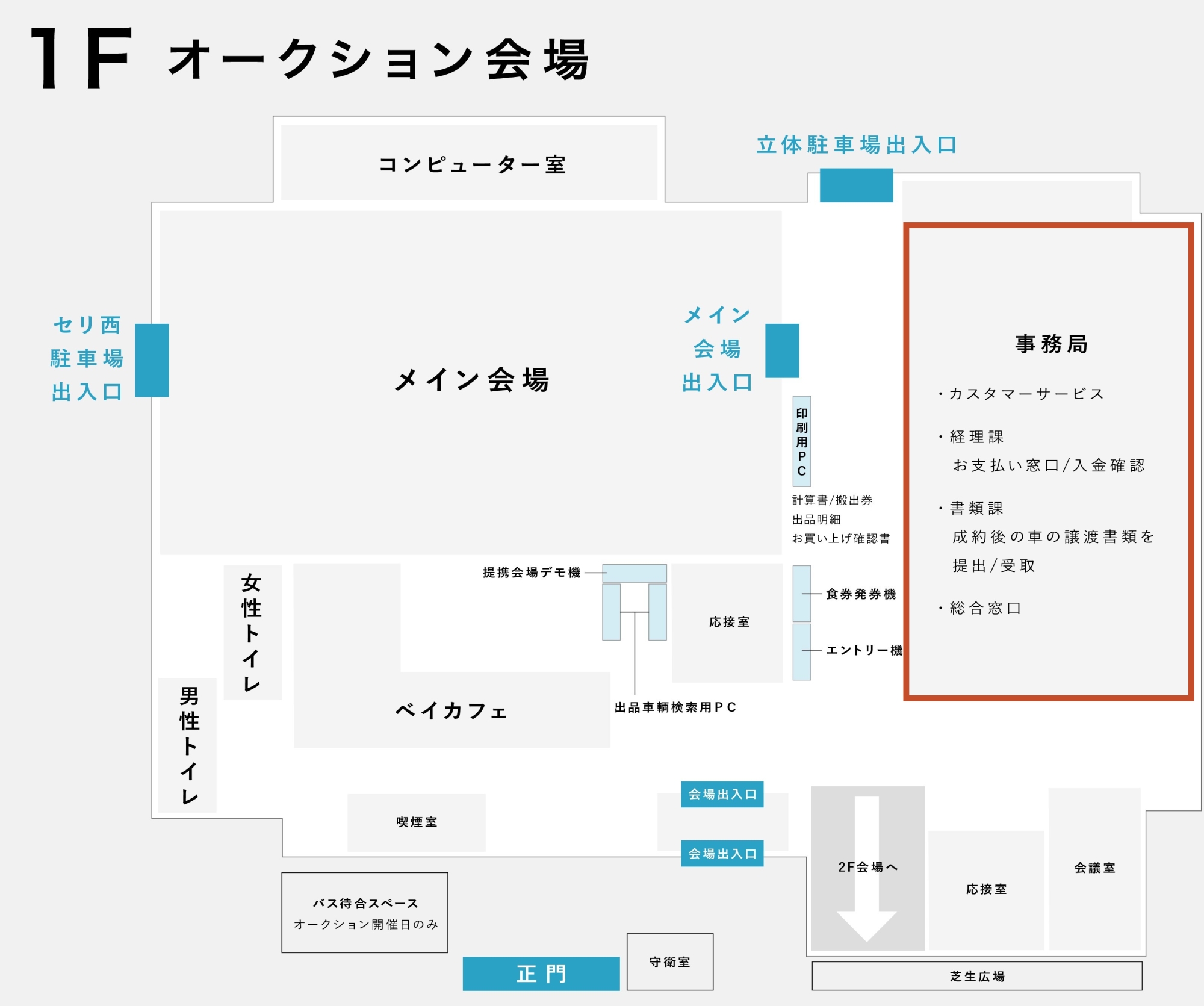
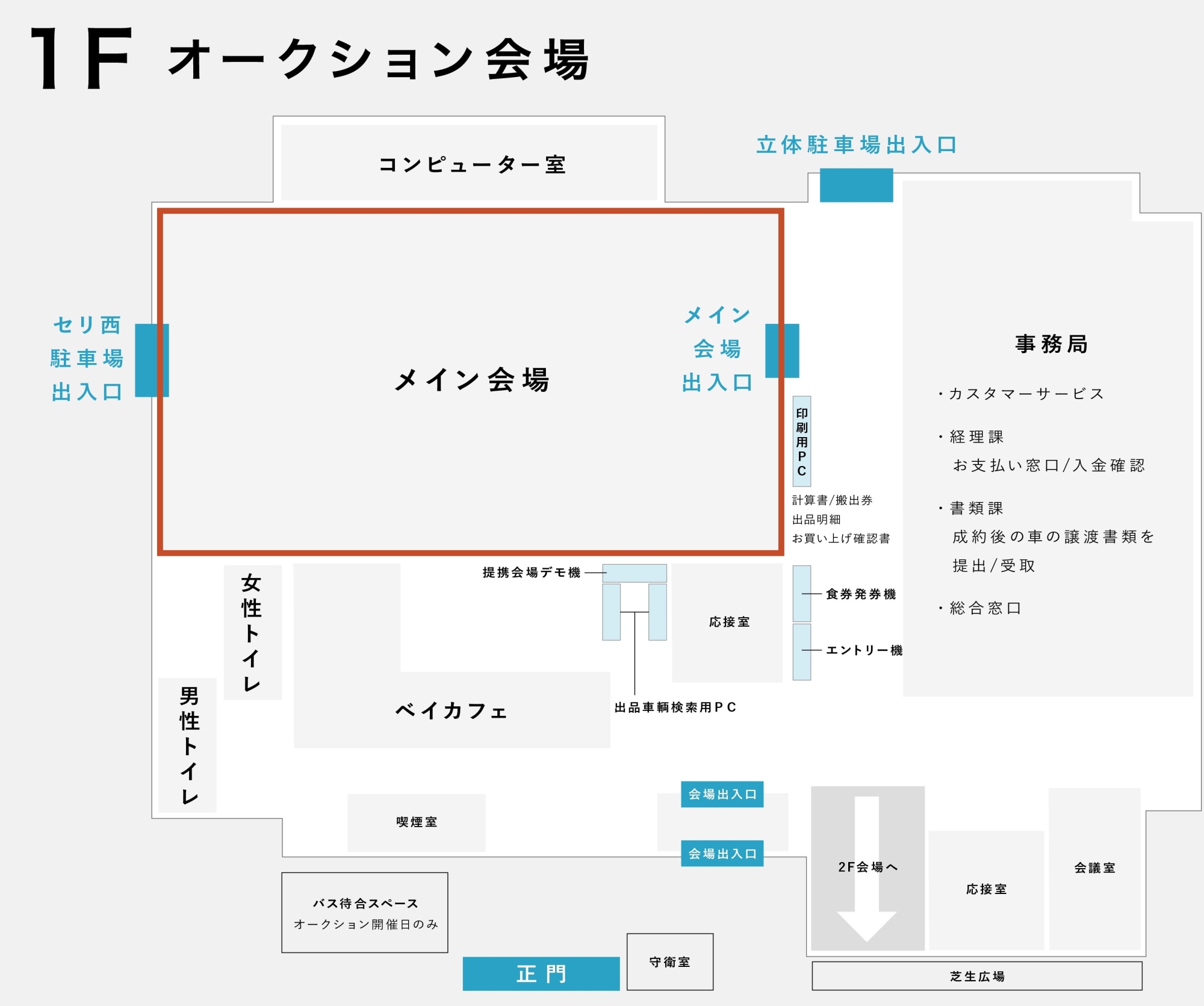
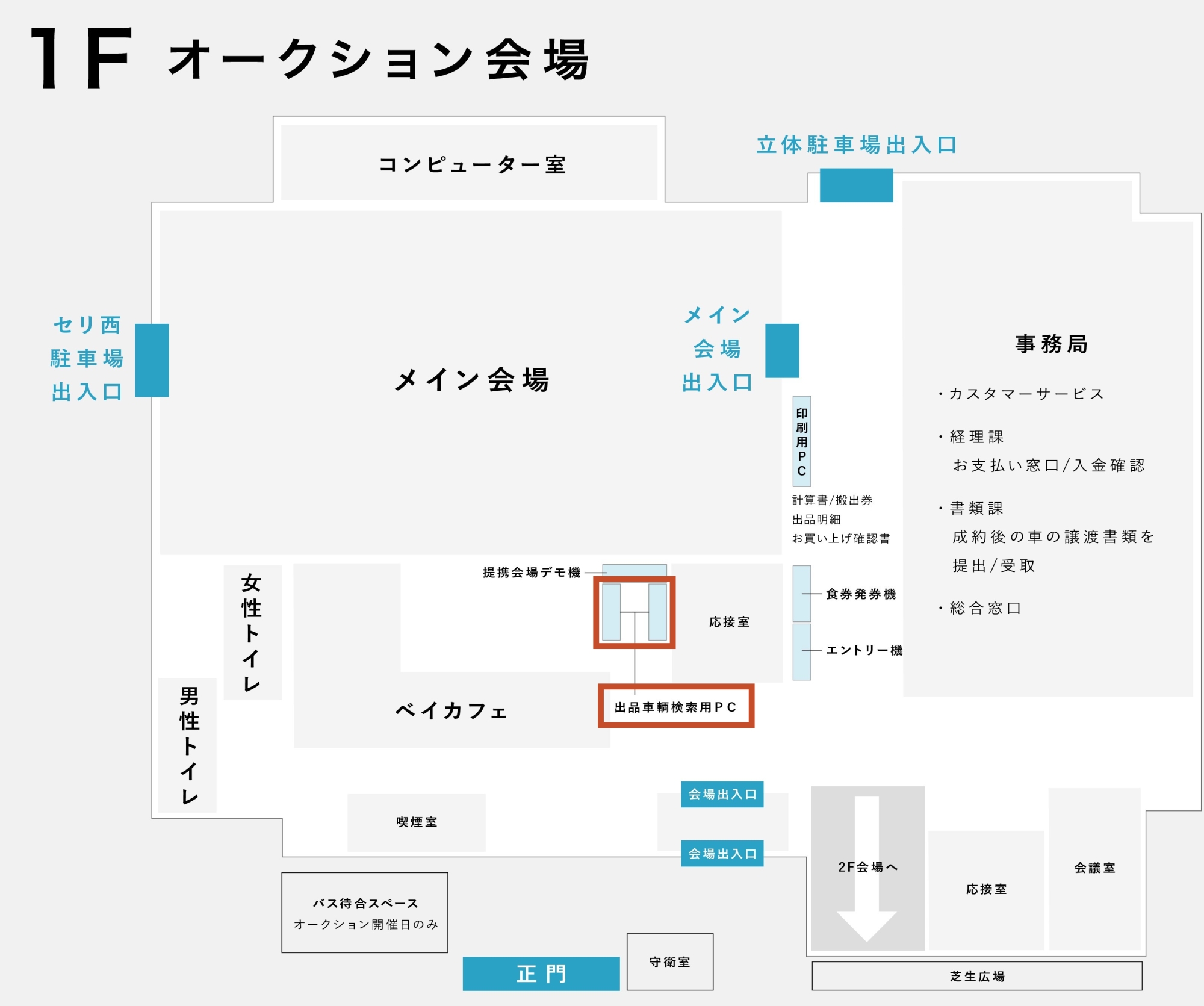
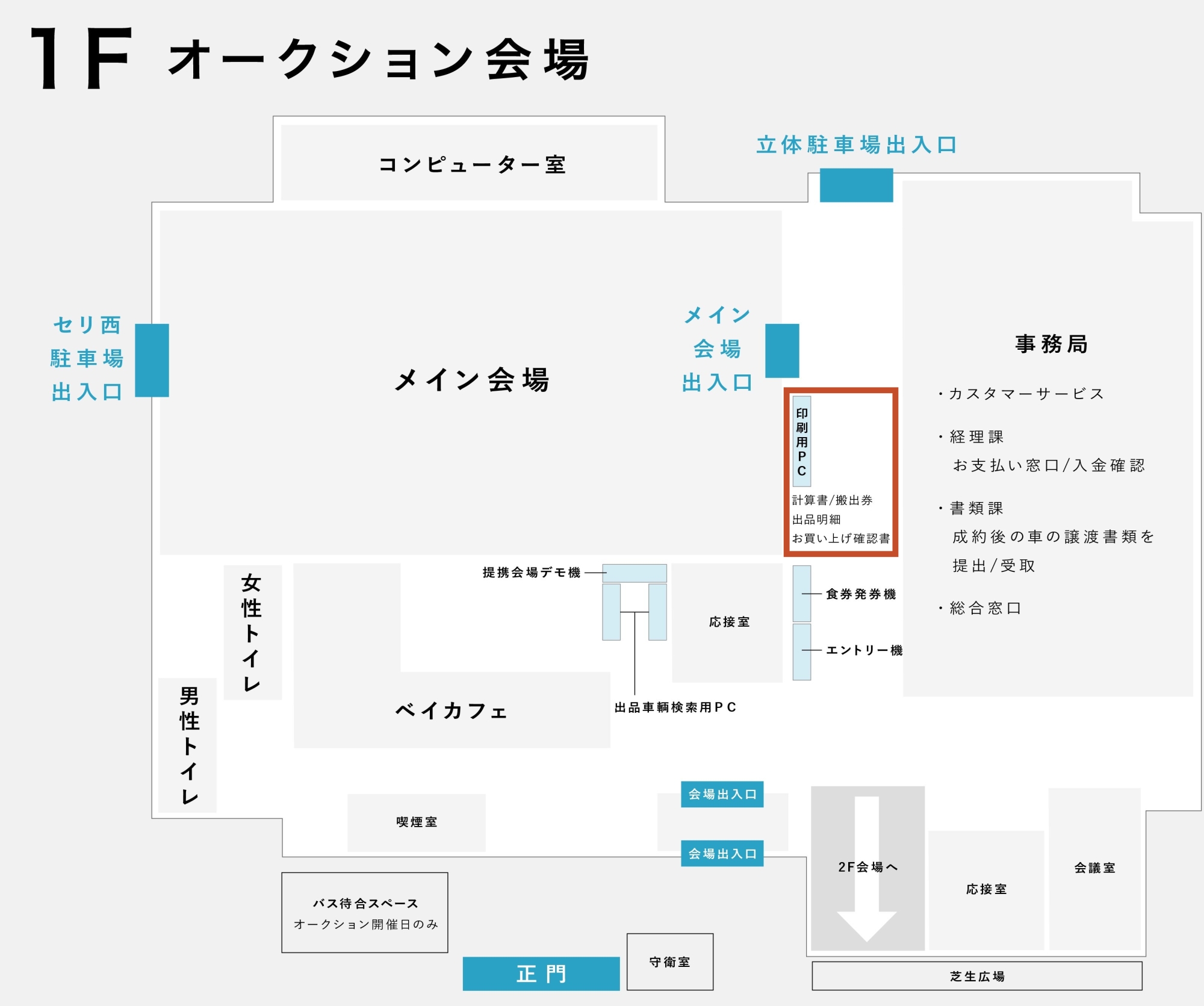
03. Check the exhibited vehicles and their locations using the printed materials(List of exhibited vehicles, layout map) available at the administration reception counter, or the in-house exhibited vehicle search PCs, and inspect the vehicles before the auction.
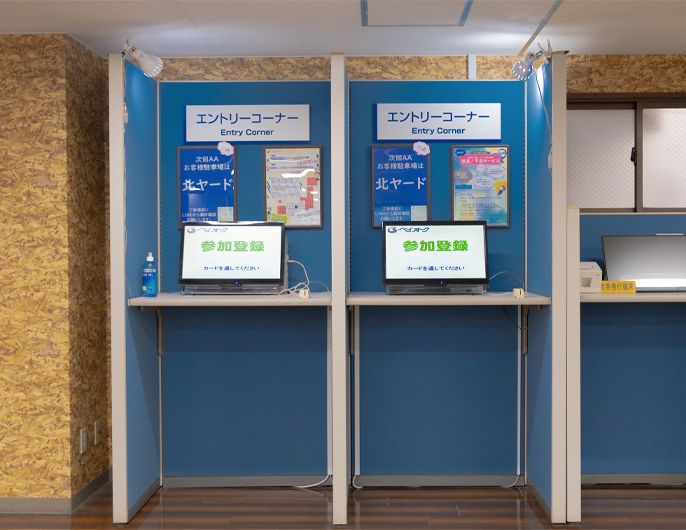
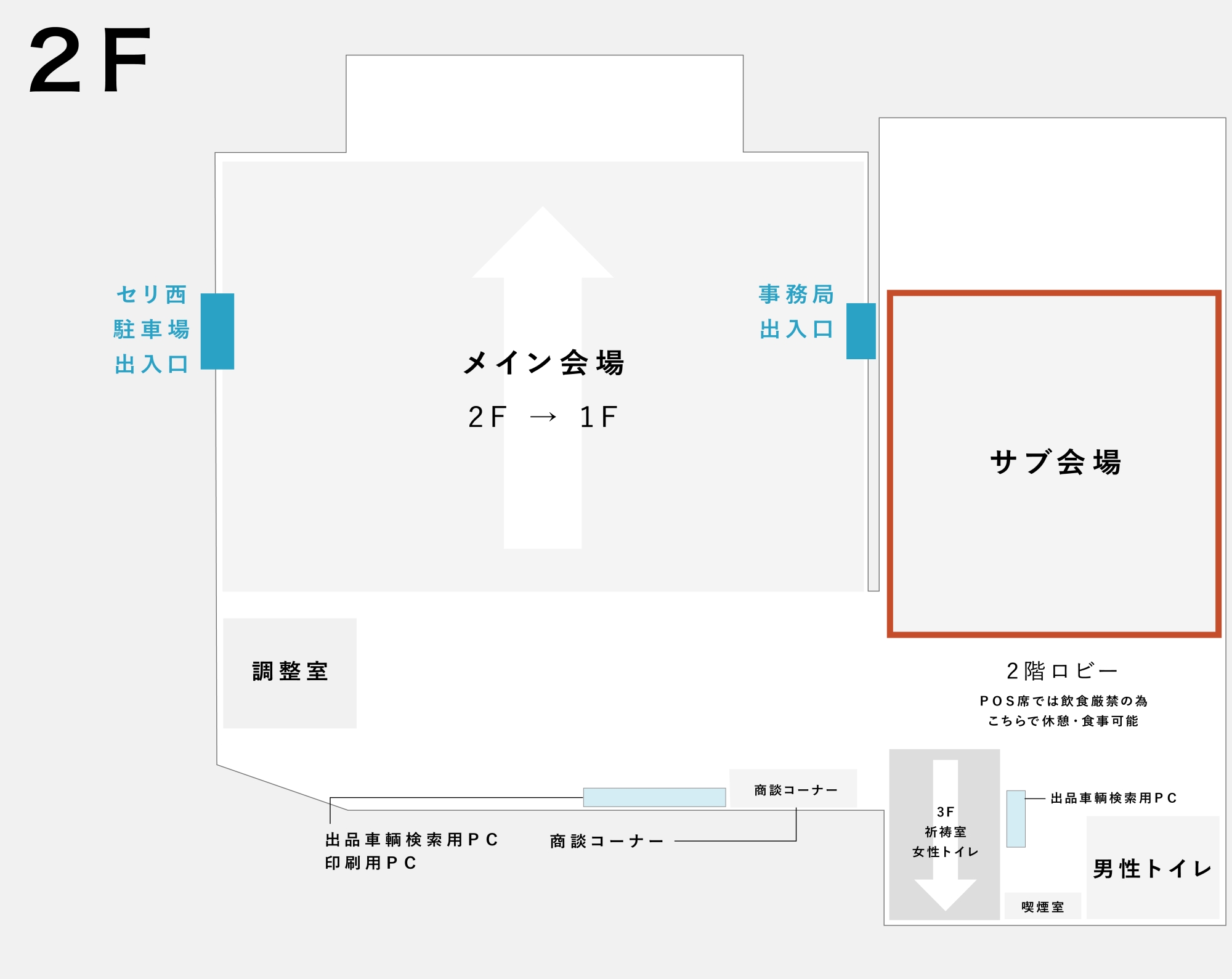
04. The auction time may vary, so please secure a POS seat in the main or
sub-venue as early as possible.
If you have time, please spend it productively at the Bay Cafe,
exchanging information with staff and other members.
01. Insert your POS card into the POS seat (at location ③ in the image below)
02. Participate in the auction on the bidding screen.
(Select either the A B lane or the C D lane on the auction screen. Odd-numbered vehicles are in the A C lane and are colored red. Even-numbered vehicles are in the B D lane and are colored green.)
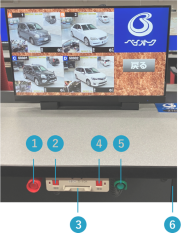
1. Bidding Stick for A/C Lanes
2. Bidding Confirmation Button for A/C Lanes: Press this button when the successful bid is confirmed.
3. POS Card Insertion
4. Bidding Confirmation Button for B/D Lanes: Press this button when the successful bid is confirmed.
5. Bidding Stick for B/D Lanes
6. Two Power Outlets: Feel free to use them for charging laptops, smartphones, etc.
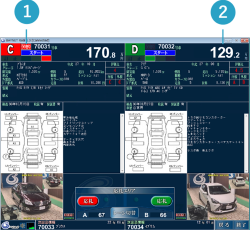
1. If the **[Sold Out]** mark is displayed, the exhibitor has confirmed the sale.
**[Automatic Price Increment]** is canceled, and the price increases with each bid (push).
2. The auction is under **[Automatic Price Increment]**.
The exhibitors are watching the bidding status to determine the **[Best Time to Sell]**.
Show your intent to purchase by how you press the bidding stick.
03. An alarm ("Pee-Pee") will sound at the POS seat where a vehicle has been successfully bid on.
(Please press the bid confirmation button (②④ in the image above) or the bid stick (①⑤ in the image above). The next auction will not begin until you press the button, so please be sure to press it.)
You can apply for **post-auction negotiation** for vehicles that were unsuccessful bids in the auction, but **only on the day** of the auction.
Negotiation Acceptance Time: 30 minutes after the AA ends
The final bidder has the **priority negotiation right** for the first 10 minutes after the auction.
Negotiation Application Price
・¥100,000 below the desired negotiation price
・Final bid price + ¥30,000
・In the case of no bid, start price + ¥30,000
The highest of the above prices will be the negotiation acceptance price.
Negotiation applications can be made at the venue, through **Bay Net**, or via net systems from each partner venue.
01. Please check the total amount on the **provisional calculation sheet** from the in-house printing terminal or via the **fax** that arrives the next day.
02. Please **wire the payment amount** or **bring it to the office by 12:00 PM on the following Tuesday**.
※Members with payment restrictions before removal must pay before removing the vehicle.
03. The vehicle removal deadline is **5:00 PM on Friday**, the third day including the auction day. Please arrange removal by then.
※Removal hours may vary depending on the vehicle's location, so please check before coming (or arranging transport).
04. **Transfer documents** can be handed over once payment is confirmed and the documents are received from the exhibiting dealer. The deadline for the exhibitor to submit the documents is the Thursday of the week following the auction day, so the latest shipping will be Thursday.
※If you need a copy of the vehicle inspection certificate earlier, please request it from the office.
However, please understand that this may not be possible depending on the exhibiting dealer's circumstances.
05. If you successfully bid on a vehicle that still has a valid inspection period, please complete the **name change** by the name change deadline and promptly submit a copy of the name-changed document (FAX is acceptable).
06. In the unlikely event of a problem with the successful bid vehicle, please **report it generally by 12:00 PM on the Tuesday** of the week following the auction day.
There are also **claim deadline extensions** for those in distant regions.
There is a separate acceptance deadline for **serious claim cases**, so please check the AA Terms and Conditions.
・No dedicated terminal required / Available on your existing PC.
・Exhibited Vehicle Search
【Up to 15 vehicle images on Bay Net for clear viewing!!】
・Confirming appraisal content and changing prices for your own exhibited vehicle, etc.
・Advance Bid Application **【Free on Bay Net】**
・Pre-inspection Application
・Real-Time Bidding
・One-Price Listing Registration / Successful Bid
・AA Calculation Sheet Printing
・Transfer Document Status Confirmation
・Name Change Status Confirmation
・¥2,000 (excl. tax) per month, Annual Contract
・Billed for one year on the AA Calculation Sheet on the first auction day of April.
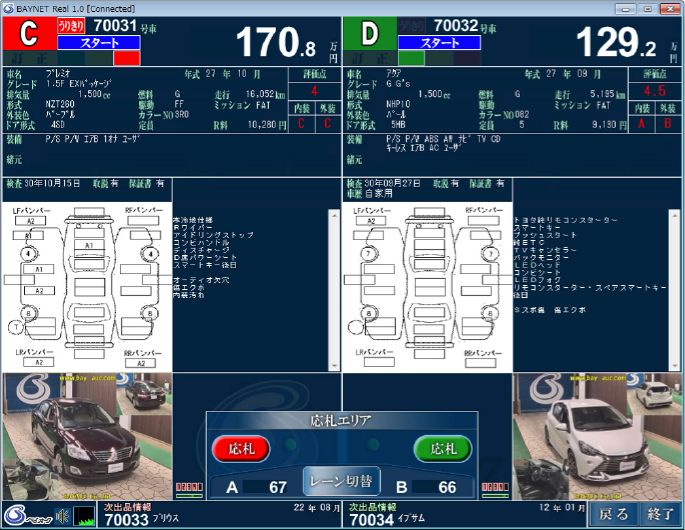
Real-Time Bidding Screen
Bay Net: Self-Exhibited Vehicle List Screen
Bay Net: AA Calculation Sheet Screen


Bay auc official social media accounts
Get the latest information easily!